

Magento
Open Source 2.4.9 GA (and later 2.4.x).
When a customer shares a product, that’s free, trusted reach — if the share link and its preview look right. Social Share adds tidy share buttons to your product pages for Facebook, X/Twitter, Pinterest, LinkedIn, WhatsApp, Telegram, Reddit and email, emits Open Graph and Twitter Card meta tags so shared links unfurl with the right image and title, and tracks which platforms actually get used — on Luma and over GraphQL for a headless storefront.
Install Social Share with Composer using your AgenticEcom licence key (find it on your My Licences page — one key unlocks every module you own):
# 1. Register the AgenticEcom repository (once per store)composer config repositories.agenticecom composer https://repo.agenticecom.netcomposer config --global --auth http-basic.repo.agenticecom.net <YOUR-LICENCE-KEY> x
# 2. Require this modulecomposer require agenticecom/module-socialshare
# 3. Apply itphp bin/magento setup:upgrade && php bin/magento setup:di:compile && php bin/magento cache:flushMagento
PHP
Platforms
Headless
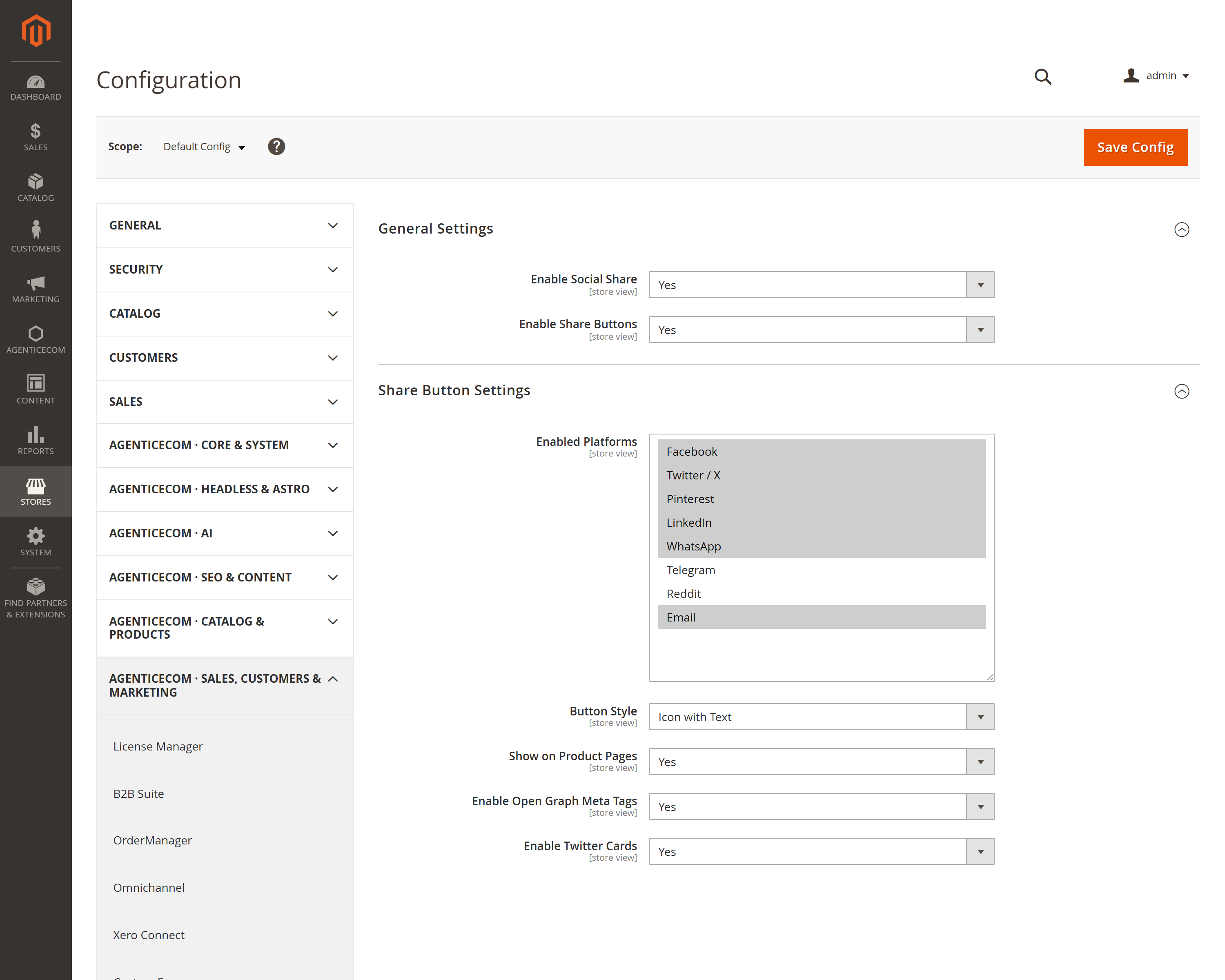
Pick which platforms to show and a button style (icons, or icons with text). Buttons appear on product pages, each opening a correctly-built share link in a sized popup.
Optionally emit Open Graph and Twitter Card meta tags for each product, so a shared link shows the product image, name and description instead of a bare URL.
{ socialShareButtons(productId: 42) { buttons { platform label shareUrl } } }Returns ready-to-use share URLs for your Astro storefront, plus a trackShare mutation to record
each share.
URL-safe links
Product URLs, titles and descriptions are URL-encoded into every share link, so a title
containing &, < or quotes can’t break the link or inject anything — the share URL is always
well-formed.
Configurable per store
Enabled platforms, button style, product-page visibility and the Open Graph / Twitter Card toggles are all per store view.
Share insight
The trackShare event records which platform a product was shared to, so you can see what your
customers actually use.
Go to Stores → Configuration → AgenticEcom · Sales, Customers & Marketing → Social Share (also reachable from Marketing → Social Share → Settings) and switch Enable Social Share on.
Choose your platforms and a button style, and turn on Open Graph / Twitter Cards for rich previews.
On Luma the buttons appear on product pages automatically; on a headless storefront, render them
from the socialShareButtons GraphQL query and call trackShare on click.
Facebook, X/Twitter, Pinterest, LinkedIn, WhatsApp, Telegram, Reddit and email — enable any subset per store view, in the style (icon or icon-with-text) you prefer.
Yes — enable Open Graph and Twitter Cards and each product page emits the meta tags those platforms read, so a shared link unfurls with the product’s image, name and description.
No — this module is only for sharing. Social sign-in is the separate Social Login module, which implements a full secure OAuth flow. Keeping them apart means the sharing buttons add no authentication surface.
No — titles, descriptions and URLs are URL-encoded into the share links, so characters like &, <
or quotes are safely escaped and the link is always valid. Verified clean on PHP 8.4 and 8.5.