

Magento
Open Source 2.4.9 GA (and later 2.4.x).
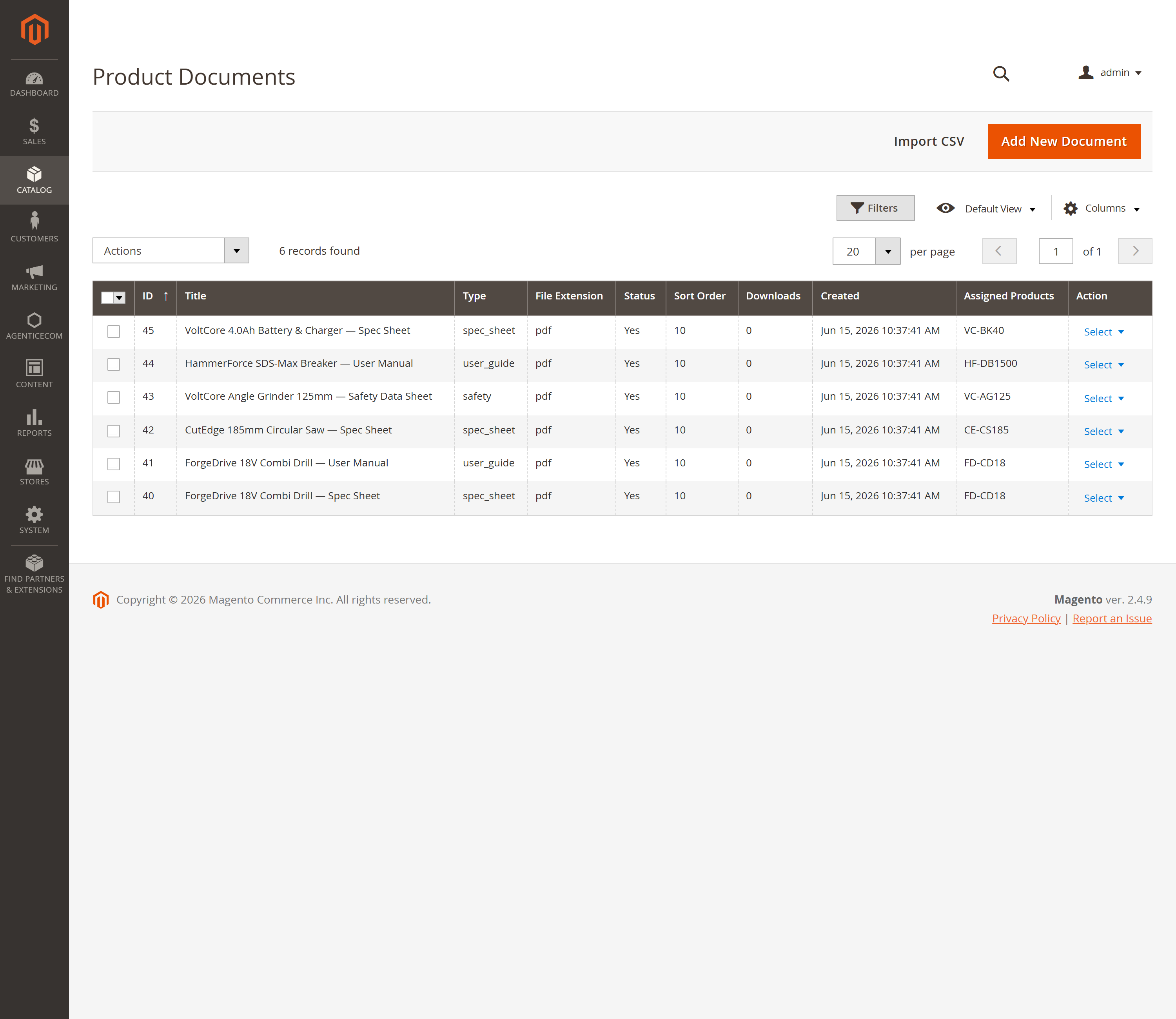
B2B and technical catalogues live or die on their documentation — spec sheets, user manuals, CAD drawings, safety data. Product Documents lets you upload those files (or link external ones), attach each to as many products as you like, restrict them by store view and customer group, and serve them to your storefront over GraphQL — with a built-in download counter so you can see what’s actually being used.
Install Product Documents with Composer using your AgenticEcom licence key (find it on your My Licences page — one key unlocks every module you own):
# 1. Register the AgenticEcom repository (once per store)composer config repositories.agenticecom composer https://repo.agenticecom.netcomposer config --global --auth http-basic.repo.agenticecom.net <YOUR-LICENCE-KEY> x
# 2. Require this modulecomposer require agenticecom/module-product-docs
# 3. Apply itphp bin/magento setup:upgrade && php bin/magento setup:di:compile && php bin/magento cache:flushMagento
PHP
Files
Headless
productDocuments GraphQL query + download-tracking mutation.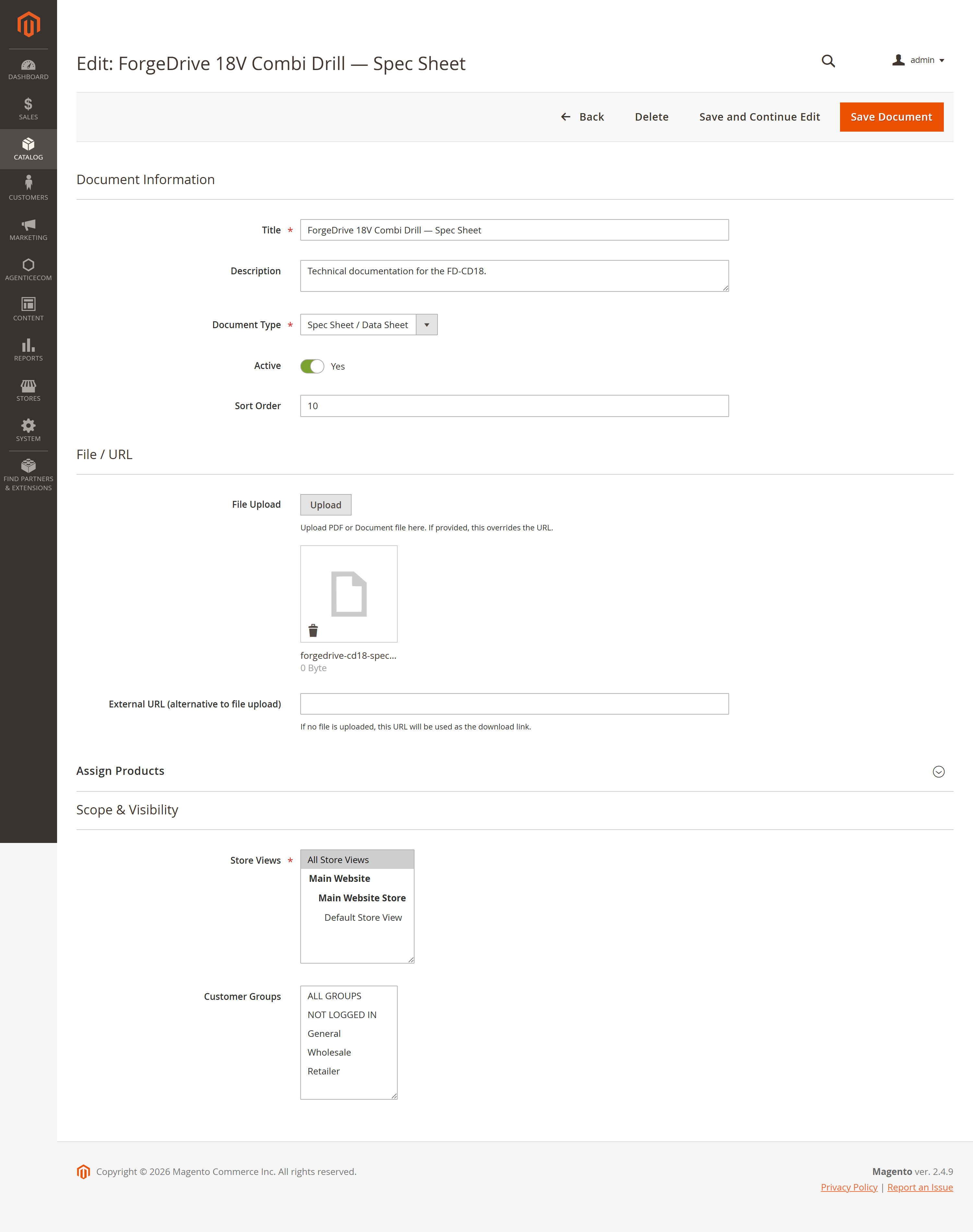
File or URL
Upload a file or point at an external URL — whichever you provide is what the storefront links to.
Type & order
Tag each as a spec sheet, user guide (etc.) and set a sort order so the most important docs list first.
Assigned products
Attach one document to many products — paste SKUs or pick them in the grid. One manual can cover a whole range.
Store & group scope
Limit a document to specific store views and customer groups — e.g. a trade datasheet only wholesale customers can see.
{ productDocuments(product_id: 2041) { doc_id title description file_url file_type file_size doc_type sort_order download_count }}Returns only active documents that match the current store and the customer’s group — so a hidden or out-of-scope document never reaches the storefront.
mutation { trackDocumentDownload(doc_id: 39) }Call this when a customer downloads a file; the document’s download_count increments, so you can see which docs are pulling their weight.
Upload allow-list
Only document/CAD extensions are accepted (pdf, doc, docx, xls, xlsx, ppt, pptx, dwg, stp, step, igs, iges) — and the type is re-checked on save, so an executable can’t be slipped in.
Scoped delivery
The GraphQL resolver filters to active + in-store + in-group documents, so disabled or restricted files are never exposed to the wrong customer.
Admin-only management
Every upload, edit and delete action is gated behind the ProductDocs::manage permission.
Go to Catalog → Product Documents (under the AgenticEcom menu) and click Add New Document.
Fill in the title and type, then either upload a file or paste an external URL.
Under Assign Products, add the SKUs this document belongs to; under Scope & Visibility, pick the store views and customer groups that should see it. Save.
From your storefront, query productDocuments(product_id: …) to list a product’s documents,
and call trackDocumentDownload when one is opened.
Yes — assign a document to as many products as you like by SKU (or in the product grid). A single manual or datasheet can cover an entire product range without duplicating the file.
Yes — each document is scoped by store view and customer group, and the GraphQL query honours both. A trade-only datasheet assigned to the Wholesale group simply won’t appear for retail customers.
Document and CAD formats: PDF, Word/Excel/PowerPoint, and dwg/step/iges. The extension is validated on upload and again on save, so non-document files (including executables) are rejected.
Yes — leave the upload empty and provide an External URL instead; the storefront links to that URL as the download. Verified clean on PHP 8.4 and 8.5.