

Magento
Check the exact release against your Magento Open Source version.
Recorded on version 1.0.3 · Narrated walkthrough · English captions
Global Data Bundle 1.0.3 — Magento Admin setup

00:00:00 — Set up Global Data Bundle
Welcome to the Agentic Ecom Global Data Bundle guide. We'll use Magento Admin to review the setup and explain the handoff to your headless storefront. This walkthrough covers stable version 1 point 0 point 3 and assumes the extension is installed.

00:00:16 — Open the global snapshot
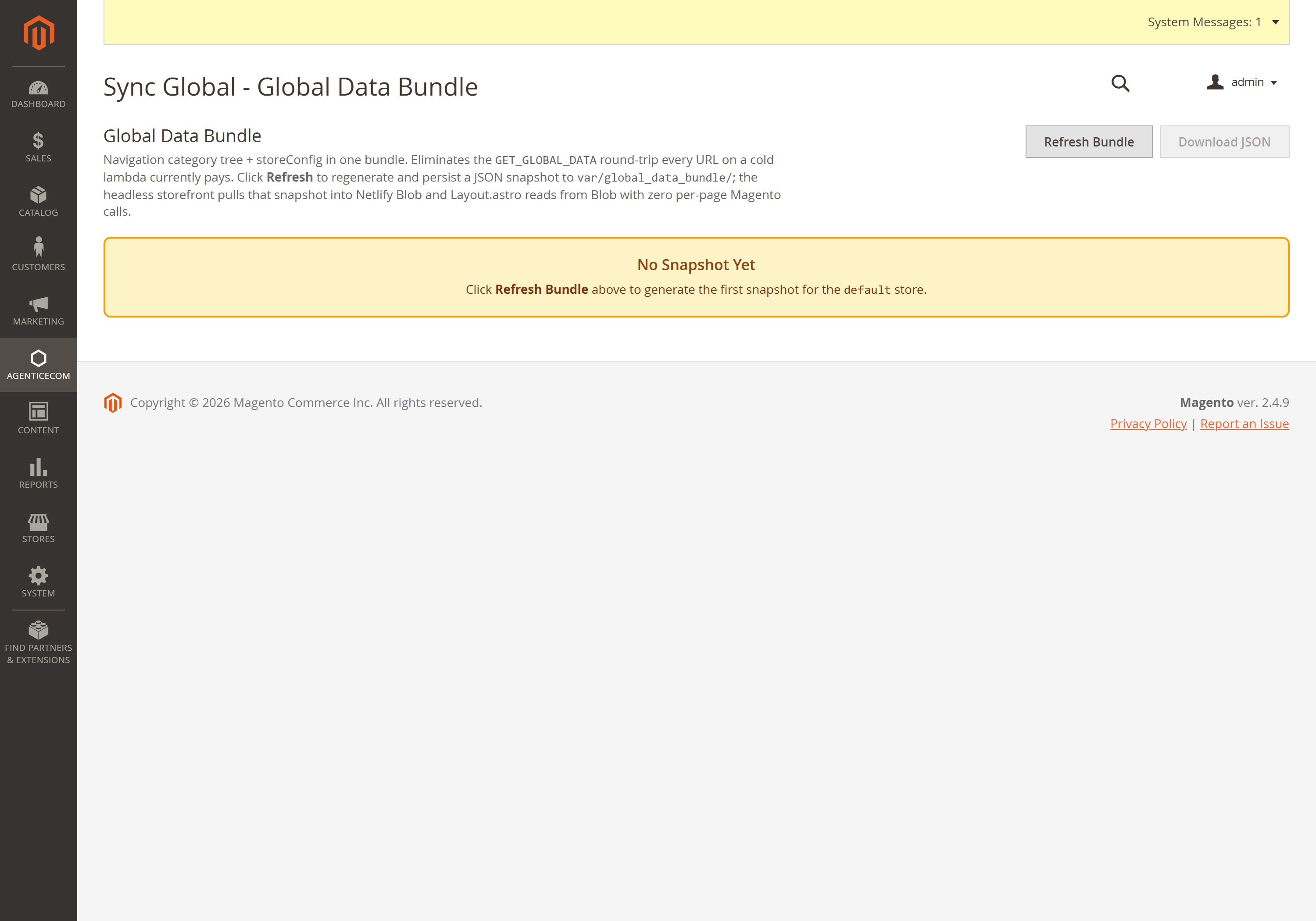
Open Agentic Ecom, Sync Data, Global Data Bundle. This module has a bundle viewer rather than a dedicated settings form. It brings together store configuration, category navigation and payment-method metadata for a headless storefront. Check the selected store and generation information.

00:00:37 — Review bundle freshness
Use Refresh Bundle on your store when the underlying global information changes. Wait for the refresh result, then check the generation time and available counts. No Snapshot Yet means the first snapshot has not been generated. Download JSON is available for inspecting a generated snapshot.

00:00:58 — Inspect the navigation and store data
Review the category tree and store configuration in the viewer. Correct the source settings in Magento when a name, currency or menu entry is wrong. For API consumers, the Store header selects the store view, and an explicit store I D must match it. Keep multi-store tests scoped to the intended storefront.

00:01:19 — Hand the snapshot to Astro
After refreshing Magento's snapshot, open Sync Global Data in Astro Admin and run that sync on your store. Review its category, store configuration and payment-method results. Then prebuild the affected pages and check the header, navigation and footer. Our walkthrough explains this handoff without running a live sync.

00:01:41 — Your setup checklist
Your next steps are to verify the selected store, refresh magento global data, sync and check navigation in astro. Use a staging store for the end-to-end check. The complete installation and integration reference is at user guides dot Agentic Ecom dot net.
A headless storefront needs a bundle of “global” data on every boot — the store’s currency and locale, logo and favicon, default SEO, tax rules, the category tree for navigation, and which payment methods are active. Global Data Bundle returns all of it in one store-scoped GraphQL call, with a version hash for caching — and it’s public-safe by design: a curated allow-list of non-secret values, so your API keys can never leak through it.
Install Global Data Bundle with Composer using your AgenticEcom licence key (find it on your My Licences page — one key unlocks every module you own):
# 1. Register the AgenticEcom repository (once per store)composer config repositories.agenticecom composer https://repo.agenticecom.netcomposer config --global --auth http-basic.repo.agenticecom.net <YOUR-LICENCE-KEY> x
# 2. Require this modulecomposer require agenticecom/module-global-data-bundle
# 3. Apply itphp bin/magento setup:upgrade && php bin/magento setup:di:compile && php bin/magento cache:flushMagento
PHP
Multi-store
Safe
{ globalDataBundle { store_config { store_code base_currency_code locale timezone weight_unit header_logo_src favicon copyright default_title default_description default_keywords tax_display_type catalog_prices_include_tax tax_rate_percent b2b_quote_enabled b2b_quote_show_pdp b2b_quote_allow_guest storefront_extensions } categories { /* the navigation tree */ } payment_methods { code title } version } }Currency, locale, timezone, logo & favicon (resolved to absolute URLs), copyright, and the
default SEO title/description/keywords — so your storefront chrome and <head> come from
Magento, not hardcoded strings.
tax_display_type, catalog_prices_include_tax and the real effective VAT rate for the
store’s default tax address and product class — so the storefront honours Magento’s tax
config and derives inc/ex prices with the true rate, not a hardcoded 20%.
The category tree for navigation, and the active payment methods (code + title only — capability, not secrets; gateway keys are fetched live per-gateway and gated by this manifest).
Any module can advertise itself to the storefront by registering a small provider — it adds
one { id, enabled, config } entry to the bundle’s storefront_extensions map, so the Astro
side learns the module is installed and how it’s configured, with no edit to this module. A
misbehaving provider is skipped, never breaking the bundle.
A headless storefront needs all of this to render its first page. One store-scoped call (with a
version hash so it only re-fetches on change) is far faster than a query per concern, and gives
the storefront a single consistent snapshot.
No. Payment methods carry only their code and title — capability, not credentials. Publishable
keys and SDK params are fetched live per-gateway, gated by this manifest, and secret keys never
leave the server.
Yes — it surfaces the display type, whether catalog prices include tax, and the real effective VAT rate, so the storefront shows inc/ex prices exactly as Magento is configured rather than guessing.
The bundle is public by design (it’s the data a storefront needs to render) but exposes only an allow-list of non-secret values. The admin snapshot/refresh tools are behind the module’s ACL. Check exact-release compatibility before deployment.