

Magento
Open Source 2.4.9 GA (and later 2.4.x).
Magento’s default mail relies on a local sendmail/proc_open setup that many hosts disable — so
order confirmations quietly fail or land in spam. SMTP & Email Deliverability routes every
outbound email through a real SMTP provider (SendGrid, Mailgun, Amazon SES, your own server) or
Gmail / Microsoft 365 over OAuth 2.0, logs every message, and gives you preview, resend and
deliverability tools — using Symfony Mailer (no proc_open), so it runs even on locked-down hosting.
Install SMTP & Email Deliverability with Composer using your AgenticEcom licence key (find it on your My Licences page — one key unlocks every module you own):
# 1. Register the AgenticEcom repository (once per store)composer config repositories.agenticecom composer https://repo.agenticecom.netcomposer config --global --auth http-basic.repo.agenticecom.net <YOUR-LICENCE-KEY> x
# 2. Require this modulecomposer require agenticecom/module-smtp
# 3. Apply itphp bin/magento setup:upgrade && php bin/magento setup:di:compile && php bin/magento cache:flushMagento
PHP
Auth
Host-safe
proc_open required.Enter host, port, encryption (SSL/TLS/none) and a username/password — works with SendGrid, Mailgun, Amazon SES, Postmark or your own mail server. A Test Connection button confirms it before you go live.
For Google Workspace or Microsoft 365, choose OAuth 2.0 and supply your client ID/secret and a refresh token. The module exchanges it for short-lived XOAUTH2 access tokens automatically (cached until just before expiry), so there’s no app password to manage.
Full email log
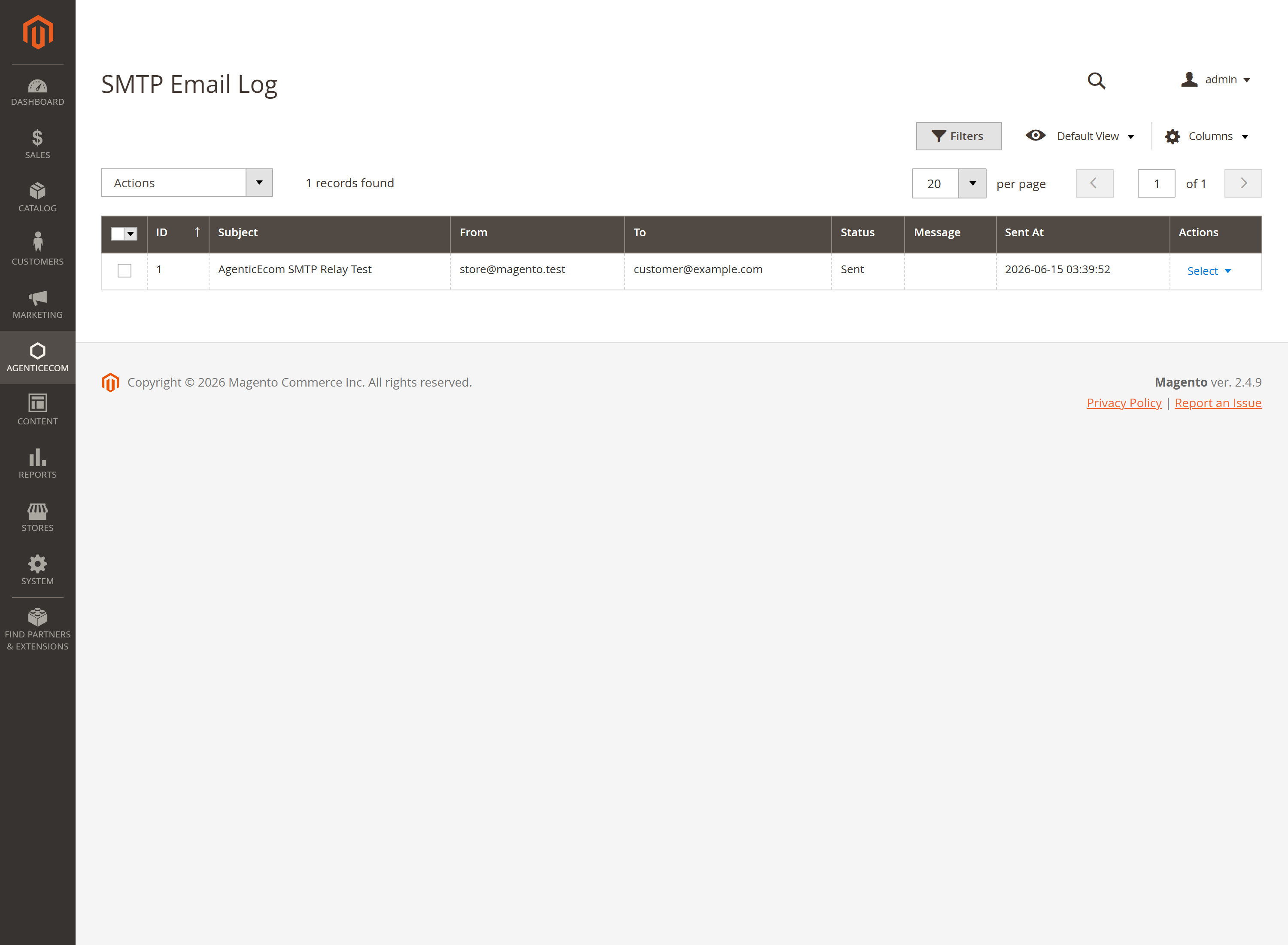
Every send is logged with subject, recipients, status and timestamp. Preview the exact message, Resend a failed one, and auto-clean old logs on a schedule.
Sender override + CC/BCC
Force a consistent From address (helps SPF/DKIM alignment) and silently CC/BCC an archive mailbox on every outbound email.
Plain-text alternative
Optionally attach a plain-text version of each HTML email — a simple, effective spam-score improvement.
Dev-mode safety
Turn off real delivery in staging and whitelist only your own addresses, so test orders never email real customers — blocked messages are still logged.
Go to Stores → Configuration → AgenticEcom · Core & System → SMTP, switch it on, and enter your provider’s host/port/encryption and credentials (or pick OAuth 2.0 and add your client details). Tip: the Quick Setup — Select Provider dropdown auto-fills host/port for common providers.
Click Test Connection to confirm the credentials work.
(Optional) Enable the email log, a sender override, global CC/BCC, and the plain-text alternative.
Send a test — then open the email log at AgenticEcom → SMTP → Email Log (a separate admin menu item from the configuration) and watch it appear with a Sent status, ready to preview or resend.
Magento’s default transport shells out via proc_open/sendmail, which many managed hosts disable —
so mail silently fails. This module sends over SMTP using Symfony Mailer’s socket transport instead,
which needs no proc_open, so delivery works on locked-down hosting.
Yes — choose OAuth 2.0 (XOAUTH2) and provide your OAuth app’s client ID/secret and a refresh token. The module fetches short-lived access tokens itself, so there’s no app password and tokens are cached to avoid hammering the provider.
Yes — the password, OAuth client secret and refresh token are stored with Magento’s encrypted config backend and decrypted only when an email is sent. The email-log actions (preview/resend/clear) are permission-gated.
Yes — enable the dev-mode delivery switch and whitelist only your own addresses. Everything else is blocked (and still logged), so a staging environment can’t email live customers. Verified clean on PHP 8.4 and 8.5.