

Magento
Open Source 2.4.9 GA (and later 2.4.x).
Password forms cost you signups. Social Login lets customers sign in with Google, Facebook, Apple and other providers in one tap — implemented as a proper OAuth 2.0 flow with CSRF state validation, PKCE and verified-email-only linking, so convenience never comes at the cost of account security. It works on a classic Luma storefront and on a headless one, where the customer token is handed back to your Astro frontend safely.
Install Social Login with Composer using your AgenticEcom licence key (find it on your My Licences page — one key unlocks every module you own):
# 1. Register the AgenticEcom repository (once per store)composer config repositories.agenticecom composer https://repo.agenticecom.netcomposer config --global --auth http-basic.repo.agenticecom.net <YOUR-LICENCE-KEY> x
# 2. Require this modulecomposer require agenticecom/module-sociallogin
# 3. Apply itphp bin/magento setup:upgrade && php bin/magento setup:di:compile && php bin/magento cache:flushMagento
PHP
Providers
Headless
Social login is an authentication path, so it’s built defensively:
No account takeover
A social identity is only auto-linked to (or used to create) a Magento account when the provider asserts the email is verified. Otherwise the customer must sign in with their password and link the provider explicitly — so nobody can claim a victim’s account with an unverified email.
CSRF-protected
Every login round-trip carries a single-use state value, checked in constant time on the way back (plus PKCE for providers that support it), so a forged callback can’t log anyone in.
Encrypted secrets
Each provider’s client secret is stored with Magento’s encrypted config backend.
Safe headless handoff
In headless mode the customer token is returned in the URL fragment (never sent to servers, proxies or logs), and the redirect target must be on your allow-list of permitted URIs.
The OAuth callback creates a normal Magento customer session and lands the shopper on their account page — drop the social buttons on your login page and you’re done.
Enable Return Token to Storefront: the callback mints a customer bearer token and bounces back to your Astro storefront with the token in the URL fragment, creating no Magento session.
# 1. List enabled providers to render the buttons (client IDs + labels only — never secrets)query { socialLoginProviders { provider client_id label icon_url } }
# 2. Get a one-time CSRF state nonce before starting the popup flowquery { socialLoginState { state } }
# 3. Exchange the OAuth code — provider, token AND state are all required;#    redirect_uri is validated against your allow-list.mutation {  socialLoginExchangeToken(provider: "google", token: "<oauth_code>", state: "<state>") {    success customer_token customer_email is_new_account message  }}
The state from socialLoginState is mandatory — call it first and pass it back to
socialLoginExchangeToken, or the exchange is rejected.
In your provider’s developer console (Google Cloud, Facebook for Developers, Apple Developer), create an OAuth app and add this store’s redirect URI (shown in the module config).
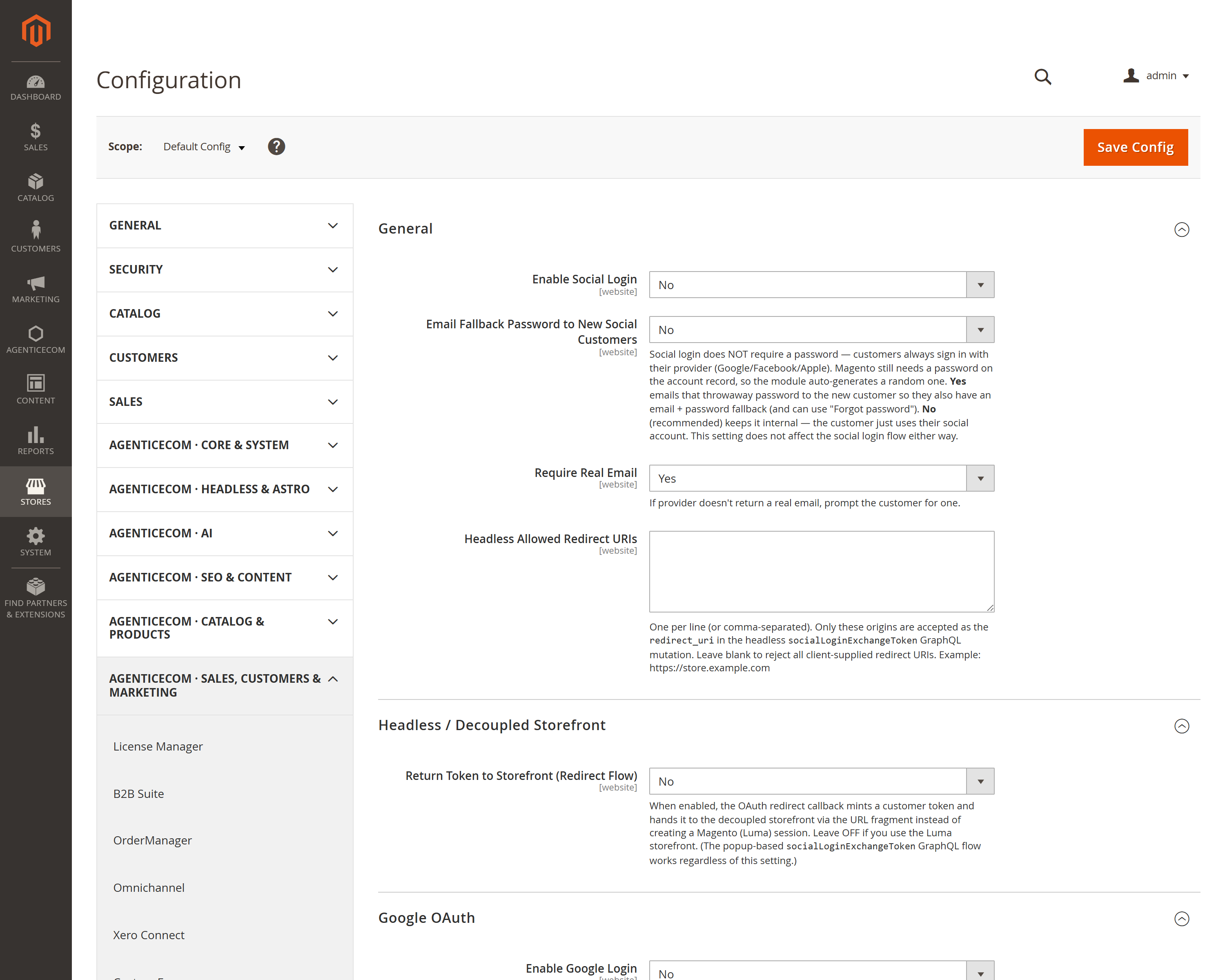
In Stores → Configuration → AgenticEcom · Sales, Customers & Marketing → Social Login, enable the provider and paste its client ID and secret. (Linked accounts are visible under Customers → Social Login → Linked Accounts.)
(Headless) Turn on Return Token to Storefront and add your storefront origin to Headless Allowed Redirect URIs.
Add the social buttons to your login page (Luma) or render them from socialLoginProviders
(headless) — customers can now sign in with one tap.
No. The module only auto-links or auto-creates an account when the provider confirms the email is verified. If it isn’t, the customer is told to sign in with their password and link the provider from account settings — so an unverified email can never claim an existing account.
Yes — enable headless mode and the callback returns a customer token to your decoupled storefront via
the URL fragment, or use the socialLoginExchangeToken GraphQL mutation for a popup flow. The
provider list is also available over GraphQL.
With Require Real Email on, the customer is prompted to supply one, so every account still has a usable email address rather than a provider placeholder.
Yes — client secrets are stored with Magento’s encrypted config backend, and the public provider list returns only client IDs and labels, never secrets. The OAuth flow is CSRF-protected with a single-use state value and PKCE. Verified clean on PHP 8.4 and 8.5.