

Magento
Open Source 2.4.9 GA (and later 2.4.x).
Order Manager turns Magento’s order screens into a proper operations desk. It adds an enhanced orders grid (with purchased-items, carrier and tracking columns), threaded order notes, status workflows with a complete audit history, bulk actions (status / delete / un-cancel), a drill-down analytics dashboard, and a configurable Xero accounting CSV export — all behind granular permissions, and all available headless through GraphQL.
Install Order Manager with Composer using your AgenticEcom licence key (find it on your My Licences page — one key unlocks every module you own):
# 1. Register the AgenticEcom repository (once per store)composer config repositories.agenticecom composer https://repo.agenticecom.netcomposer config --global --auth http-basic.repo.agenticecom.net <YOUR-LICENCE-KEY> x
# 2. Require this modulecomposer require agenticecom/module-ordermanager
# 3. Apply itphp bin/magento setup:upgrade && php bin/magento setup:di:compile && php bin/magento cache:flushMagento
PHP
Headless
Permissions
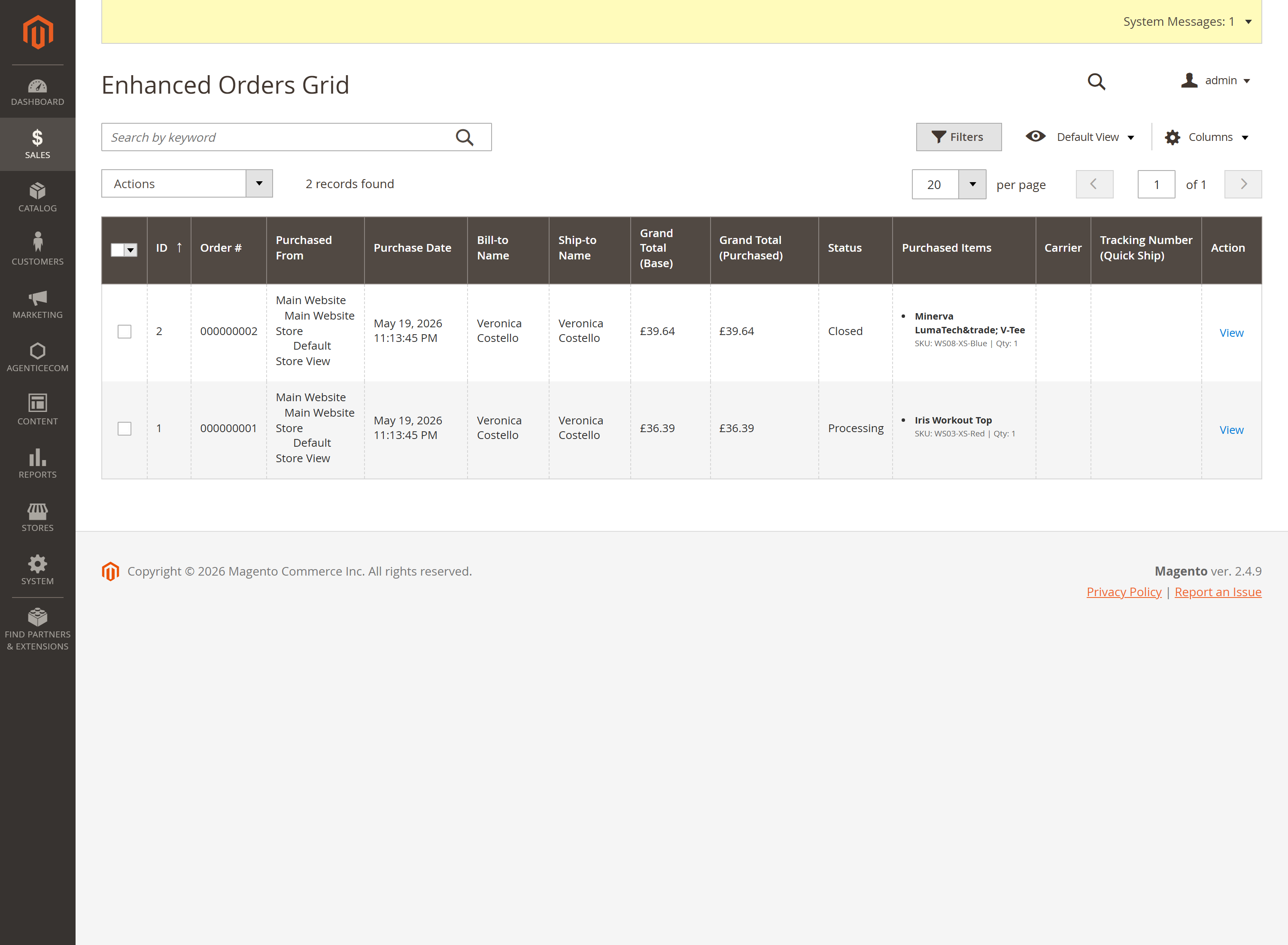
Sales → Order Manager → Manage Orders is a faster orders grid with extra columns that normally need a click-through to find:
Quick actions, inline edit and the default page size are all configurable.
Threaded, typed notes against any order — kept separate from Magento’s status-comment stream.
| Field | Meaning |
|---|---|
| Type | general, internal, or customer. |
| Visible to customer | Whether the note shows on the customer’s side. |
| Notify customer | Email the customer when the note is added. |
| Author | Captured automatically from the admin user. |
Configure under Note Settings: allow customer notes, require a note on status change, and the default “notify customer” choice.
Move orders through a controlled lifecycle with a full, queryable history.
Define valid transitions. The engine enforces a sane status graph — e.g. pending → processing / holded / canceled, processing → complete / holded / canceled, complete → closed. Invalid jumps are rejected with a clear message.
Transition an order (manually, in bulk, via the API, or automatically) — the change is
written to a dedicated status-history table with the old/new status & state, the
trigger type (manual / bulk / auto / workflow / api), who triggered it, and an
optional comment.
Automate. Define workflow rules (from-status → to-status with conditions like payment received or all items shipped), mark them auto-execute, and a cron job processes eligible orders every 15 minutes.
| Action | What it does | Permission |
|---|---|---|
| Bulk status update | Change status on many orders at once (with optional comment + customer notification). | bulk_actions |
| Bulk delete | Permanently delete orders and all related records. | delete |
| Un-cancel | Revert canceled orders back to pending (restores item quantities). | bulk_actions |
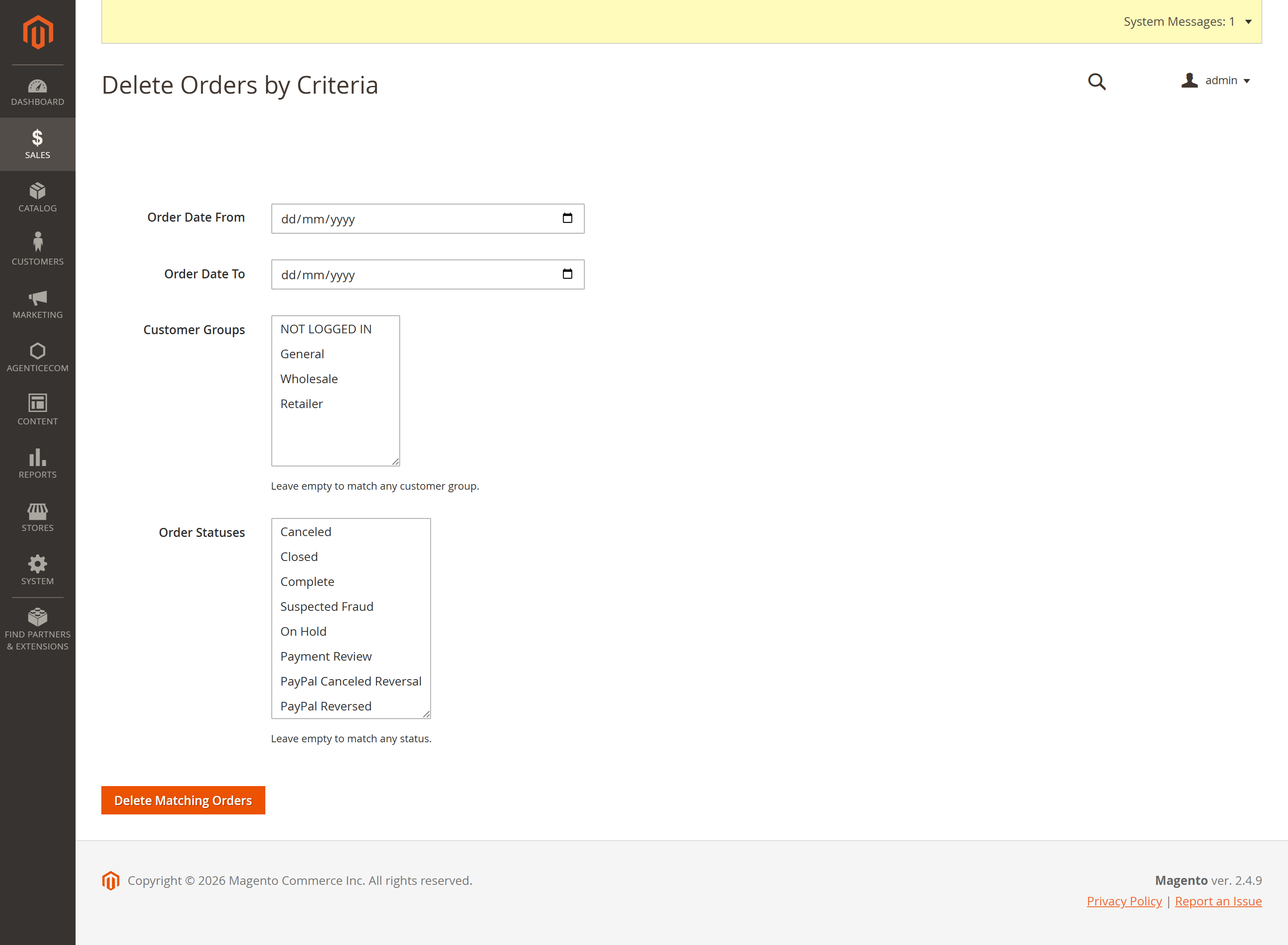
| Delete by criteria | Delete every order matching a date range / customer group / status. | delete |
Sales → Order Manager → Order Analytics is a drill-down dashboard over your order data:
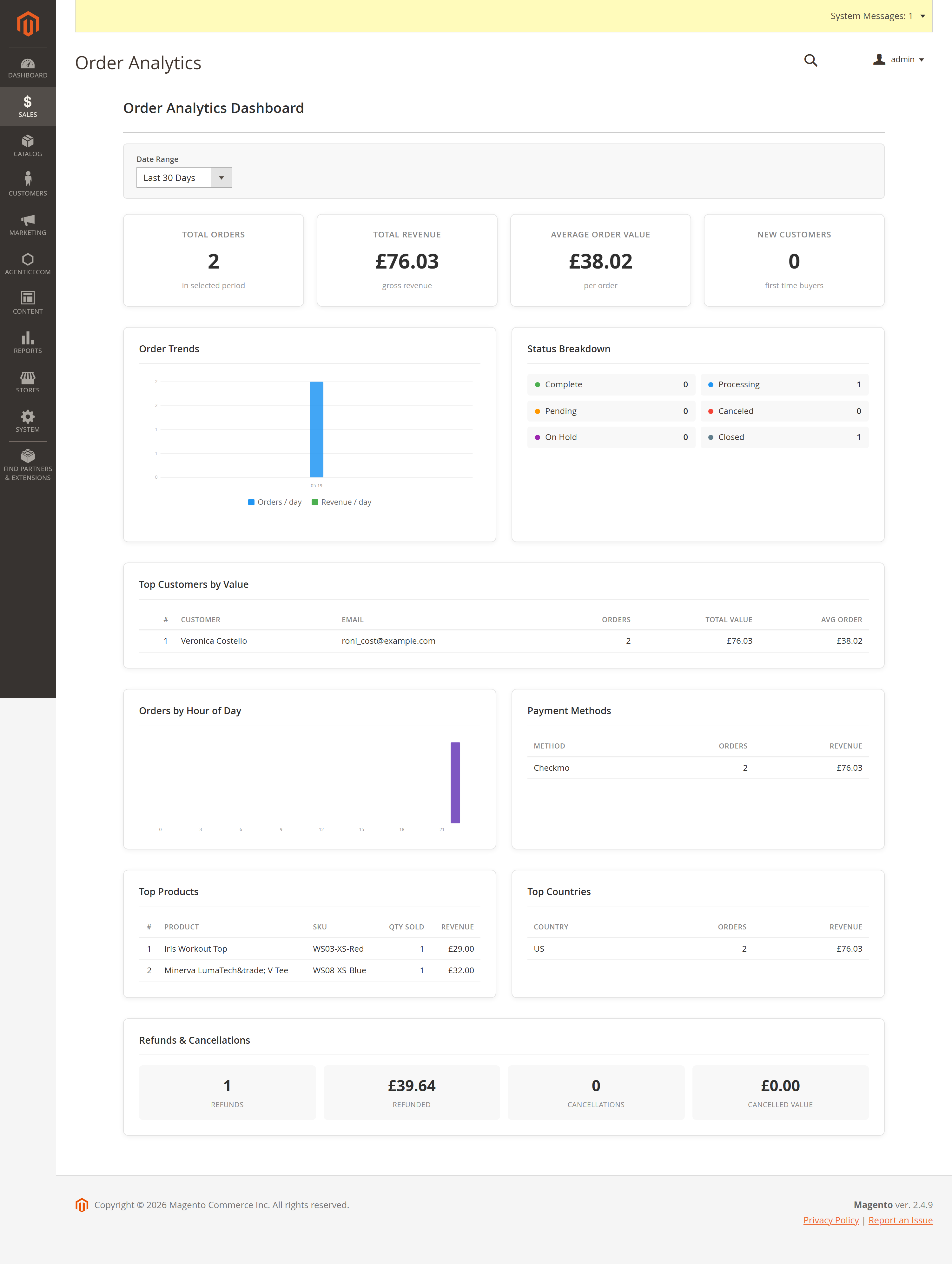
A nightly cron also rolls each day’s figures into a daily-analytics table for fast headless reporting.
Generate a Xero Sales Invoice CSV in the exact column order Xero’s import expects, with every field mapped from Magento via configuration.
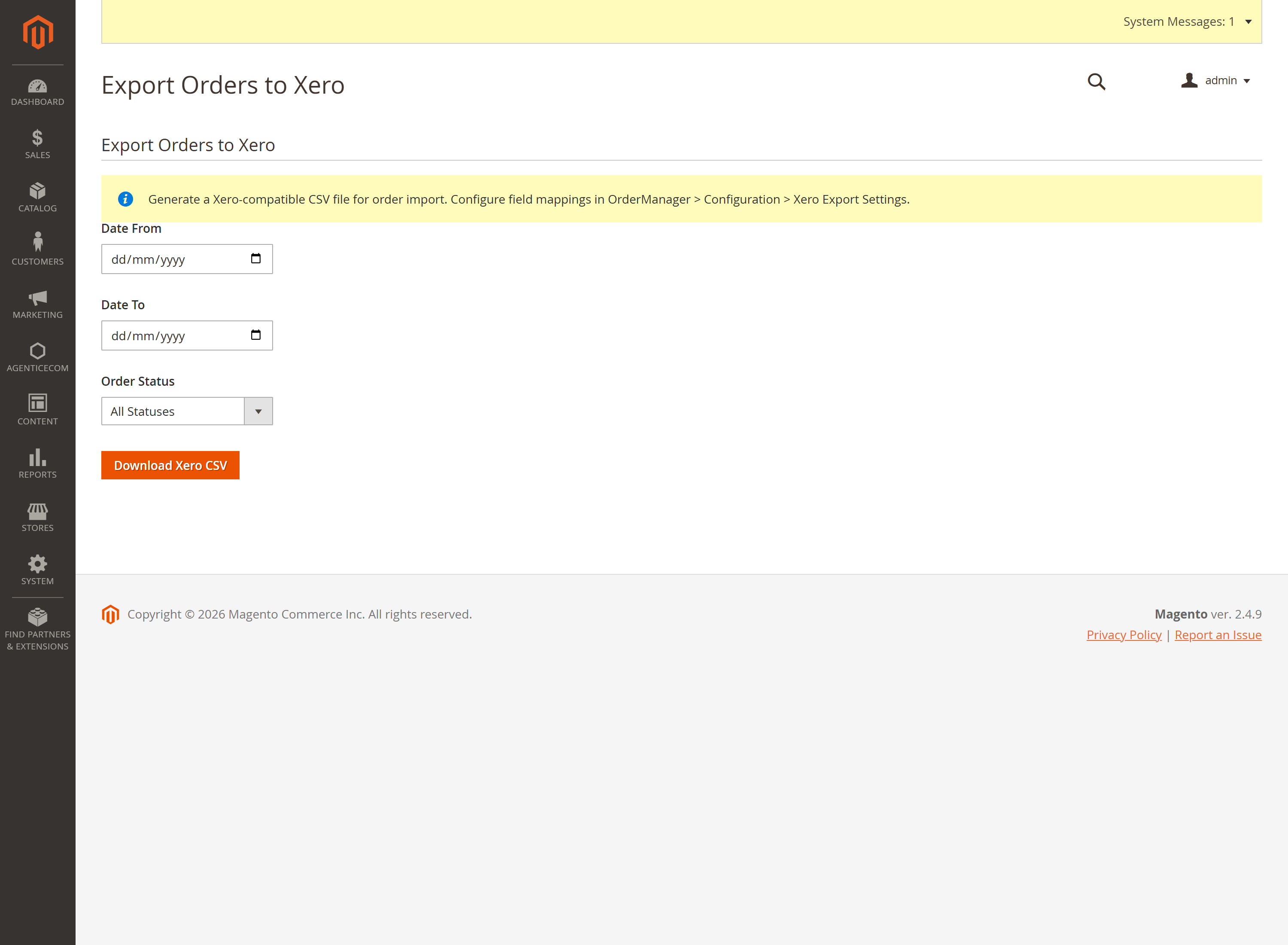
Each order expands into product, shipping and discount line items, each with its own account code, so the import maps cleanly onto your Xero chart of accounts.
Every capability is exposed over GraphQL and gated to admin tokens — a storefront customer can never reach these.
{ orderNotes(order_id: 1) { note_id note_type comment created_by_name created_at } }
{ orderStatusHistory(order_id: 1) {    old_status new_status trigger_type triggered_by created_at } }
{ orderAnalytics(from_date: "2026-01-01", to_date: "2026-12-31") {    summary { total_orders total_revenue average_order_value }    daily { date order_count total_revenue } } }
{ orderWorkflowRules(is_active: true) { rule_id name from_status to_status auto_execute } }
mutation { addOrderNote(order_id: 1, comment: "Picked & packed", note_type: "internal") { note_id created_by_name created_at } }
mutation { triggerOrderWorkflow(order_id: 1, to_status: "processing", comment: "Paid") { success new_status new_state message } }
mutation { bulkUpdateOrderStatus(order_ids: [1,2,3], status: "holded", notify_customer: false) { success processed failed message } }
mutation { unCancelOrders(order_ids: [5]) { success processed failed } }mutation { deleteOrders(order_ids: [9]) { success processed failed message } }Stores → Configuration → AgenticEcom · Sales, Customers & Marketing → OrderManager (the screens live under Sales → Order Manager: Manage Orders, Order Analytics, Delete Orders).
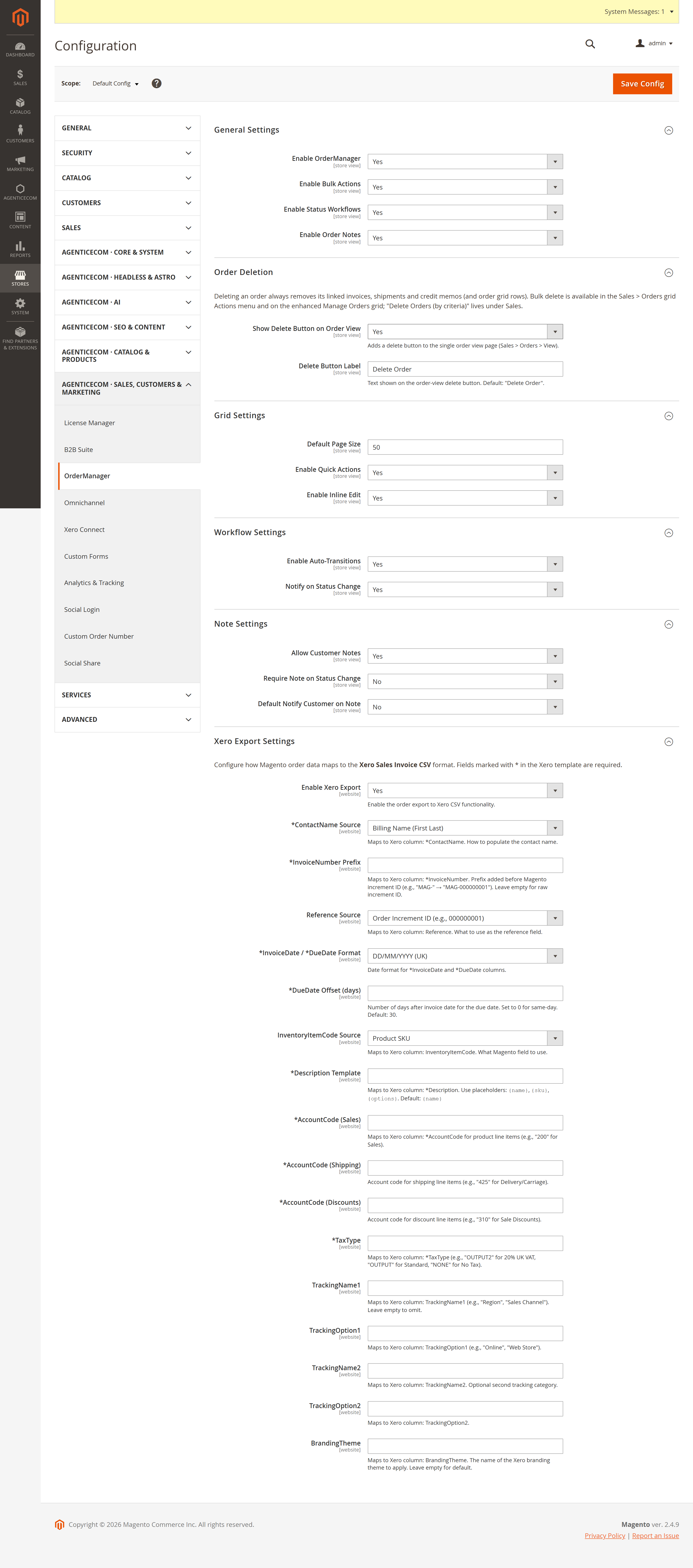
| Group | Key settings |
|---|---|
| General | Enable module, bulk actions, status workflows, order notes. |
| Order Deletion | Show a delete button on the order-view page + its label. |
| Grid Settings | Default page size, quick actions, inline edit. |
| Workflow Settings | Enable auto-transitions; notify on status change. |
| Note Settings | Allow customer notes, require note on status change, default notify-customer. |
| Xero Export Settings | Full field-by-field mapping to the Xero Sales Invoice CSV (contact, invoice, dates, line items, account codes, tax type, tracking categories, branding). |
The order and all of its related records — invoices, shipments, credit memos, payment, addresses, items, both the native and custom status history, the order-grid row, and the originating quote — all in one transaction. It’s permanent, which is why it sits behind its own Delete Orders permission.
Yes — enable Status Workflows. The engine only allows valid transitions (e.g. you can’t go pending → closed), and every change is recorded with who/what/when in the status-history table.
Workflow rules carry conditions — payment received, all items shipped, or grand-total
comparisons. A cron job runs every 15 minutes, finds orders in the rule’s from-status that meet
the conditions, and transitions them, logging each as a workflow change.
Yes — it emits the exact Xero Sales Invoice CSV columns in order, with product, shipping and discount lines split onto their own account codes, dates in your chosen format, and a configurable due-date offset. Map it once and every export is import-ready.
Each capability has its own ACL resource (orders, notes, workflows, analytics, bulk actions, delete, un-cancel, Xero export), so you grant exactly what each role needs. Every GraphQL resolver requires an admin token. Order deletion registers Magento’s secure area and runs in a transaction. Verified clean on PHP 8.4 and 8.5.