

Tested Magento
Open Source 2.4.9.
Recorded on version 1.0.3 · Narrated walkthrough · English captions
AI Product Creation 1.0.3 — Magento Admin setup

00:00:00 — Set up AI Product Creation
Welcome to the Agentic Ecom A I Product Creation Admin guide. We'll walk through the main setup screens and the checks to make before using the module. This guide assumes the extension is already installed.

00:00:13 — Open settings and choose scope
Start in Magento Admin and open Stores, Configuration. Choose AI Product Creator. Check the Scope selector before editing. Use the appropriate website or store view where the setting supports it. The screen values here are a demonstration; enter the settings and service details that belong to your own store.

00:00:33 — Choose the AI models
Enable the AI engine and enter your own provider key. Review the text, specification-extraction and document-scan models independently. Provider usage can incur separate charges. Choose models available to your account, and check extracted facts against the original supplier source.

00:00:53 — Review product defaults
Review Product Defaults before creating drafts. Generated simple products are disabled, hidden and out of stock until you check and publish them. Decide which catalogue defaults are appropriate, and do not treat a generated name or description as evidence of a price, specification or compatibility claim.

00:01:13 — Keep generation factual
Review the editable AI Prompt Template. Supply verified facts and require unsupported values to remain empty. In the document workflow, compare extracted details with the source and confirm attribute matches. Proposed new attributes need an administrator's explicit approval in the dedicated workflow.

00:01:34 — Create a draft for review
Open Quick Generate from a brief, or use AI Product Creator for supplier material. Enter a name and verified facts, then review the generated draft in Magento before enabling it. Bulk Create from a List queues simple-product drafts; inspect per-row errors in Bulk Create Jobs and handle images, website assignments and other unsupported bulk fields separately.

00:01:58 — Save and verify your setup
When your required settings are complete, use the screen's Save control and wait for Magento's confirmation. Then reopen the record or configuration and check the saved values at the intended scope. If the storefront still shows earlier settings, refresh the relevant caches. Test your own configuration before using it with customers.

00:02:20 — Your setup checklist
That's the Admin setup walkthrough for A I Product Creation. Check permissions and scope, review the module-specific settings, then save and verify a small staging example. Use the written guide at user guides dot Agentic Ecom dot net for installation details, complete field references and any separate storefront integration steps.
AI Product Creation 1.0.3 drafts simple Magento products from facts you provide. It can extract supplier-document details, compare them with your attribute schema, and queue CSV or JSON lists for bulk creation. Every generated product is disabled, hidden and out of stock until you check and publish it.
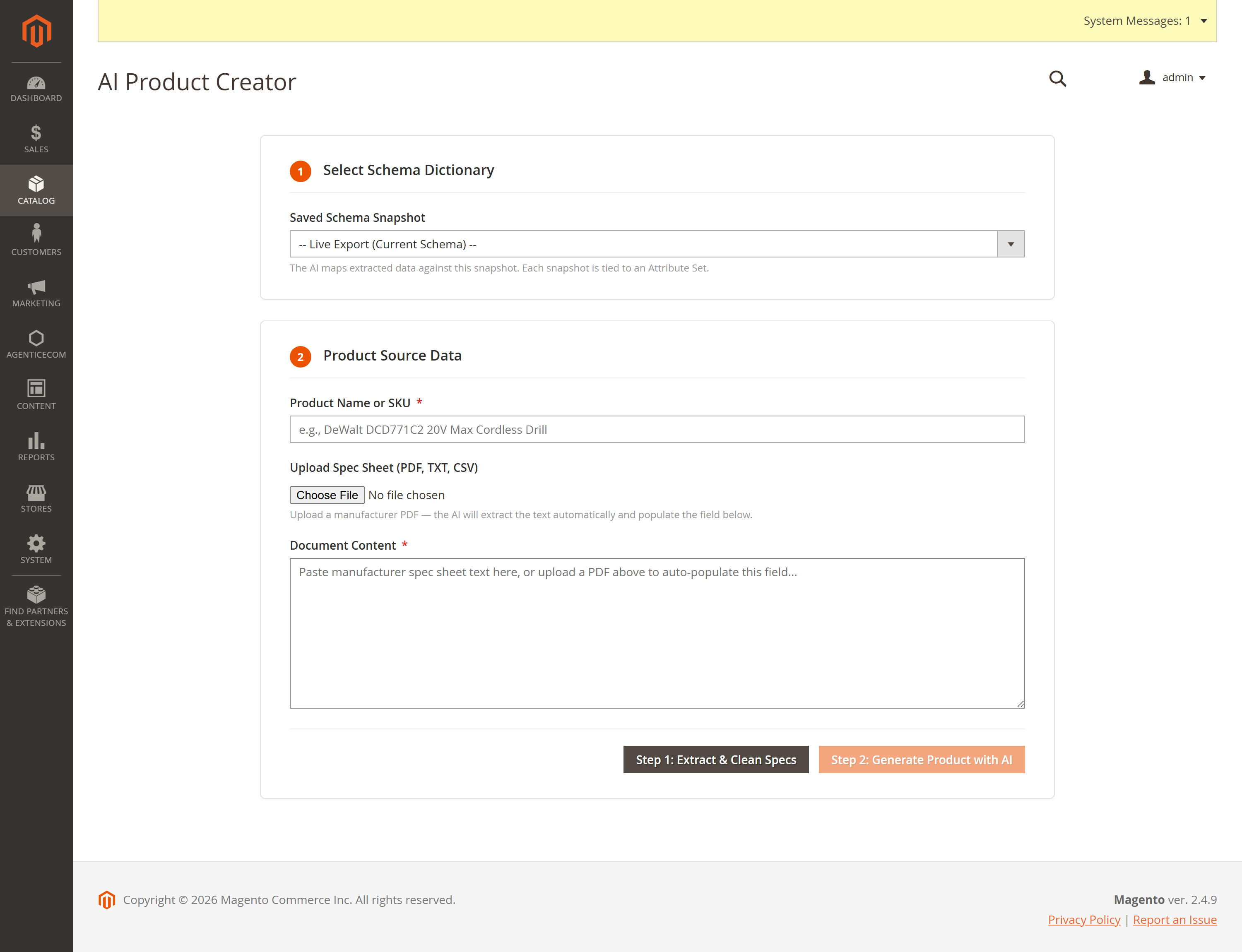
Install with your AgenticEcom licence key (available on My Licences) or the Adobe Commerce Marketplace access supplied with your purchase. Keep one installed copy; do not mix Composer and app/code copies.
composer config repositories.agenticecom composer https://repo.agenticecom.netcomposer config --global --auth http-basic.repo.agenticecom.net <YOUR-LICENCE-KEY> xcomposer require agenticecom/module-aiproductcreation:^1.0.4php bin/magento module:enable AgenticEcom_AiProductCreationphp bin/magento setup:upgradephp bin/magento setup:di:compilephp bin/magento cache:cleanTested Magento
Tested PHP
AI providers
Storefront
Open Catalog → AI Product Creation → Configuration. Enable the AI engine and enter the key for your chosen provider. Select the text, spec extraction and document scan models independently.
The former Gemini 3 Pro Preview selection is migrated to Gemini 3.1 Pro Preview. The PIM extraction prompt can be customised; merchant-edited text stays in place on upgrade. Built-in prompts ask for verified facts and leave unsupported prices and specifications empty. Always review AI results.
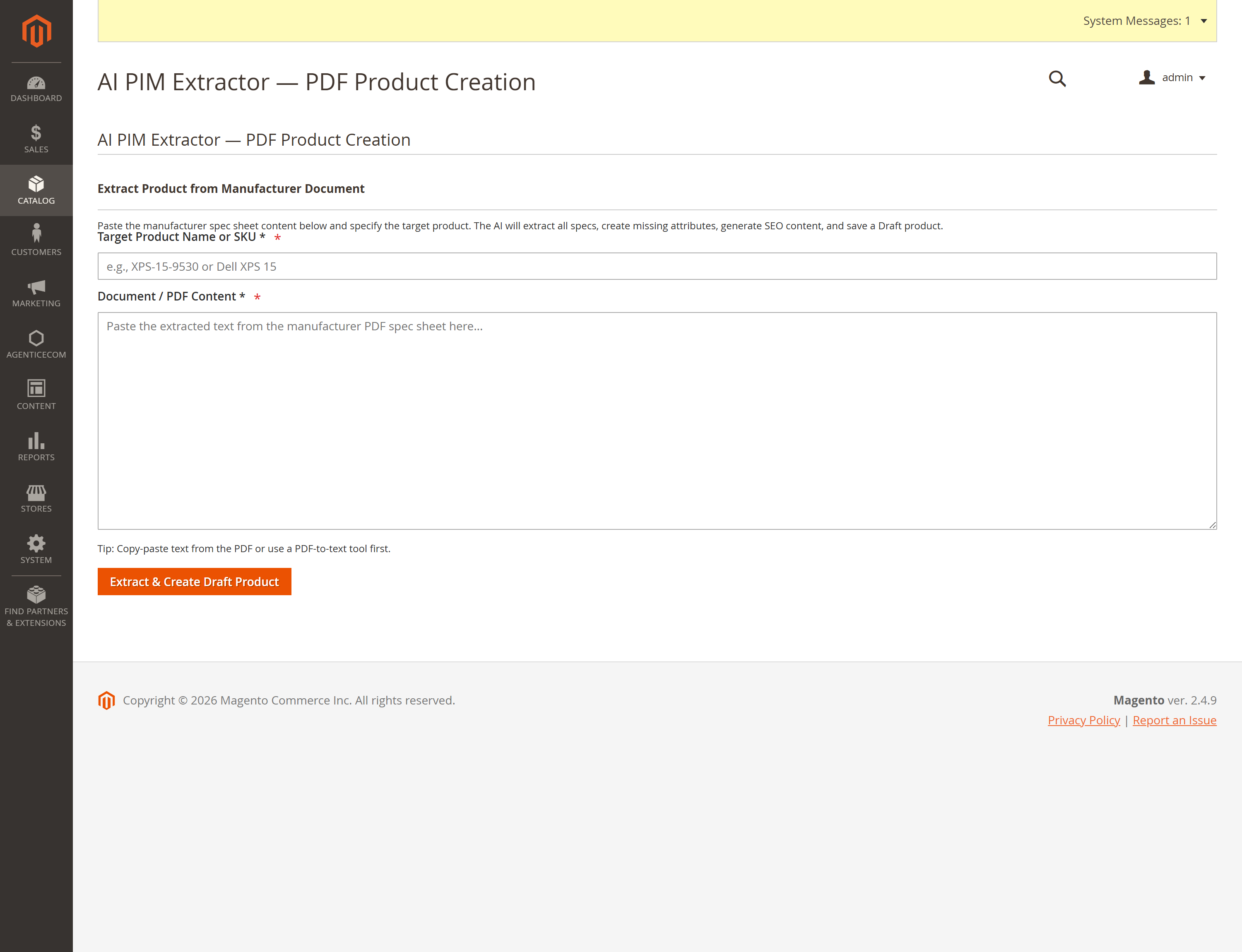
Open Quick Generate (from a brief) in the AI Product Creation menu. Enter a name and verified facts. The module drafts description and SEO fields, then creates a simple product for review. A name alone cannot establish specifications, price, weight or compatibility. Category suggestions use category-name keyword matching and need checking.
Open Bulk Create from a List. Upload CSV with a header row or a JSON object/array. Upload queues the job; press Process to create drafts. Optional AI enrichment fills missing descriptions and SEO fields from your columns, while supplied values take precedence. Check per-row errors in Bulk Create Jobs. Empty files and malformed CSV rows are rejected.
Bulk creation handles simple products only. It does not attach images, tier prices or website assignments. Use Magento’s standard tools for those steps.
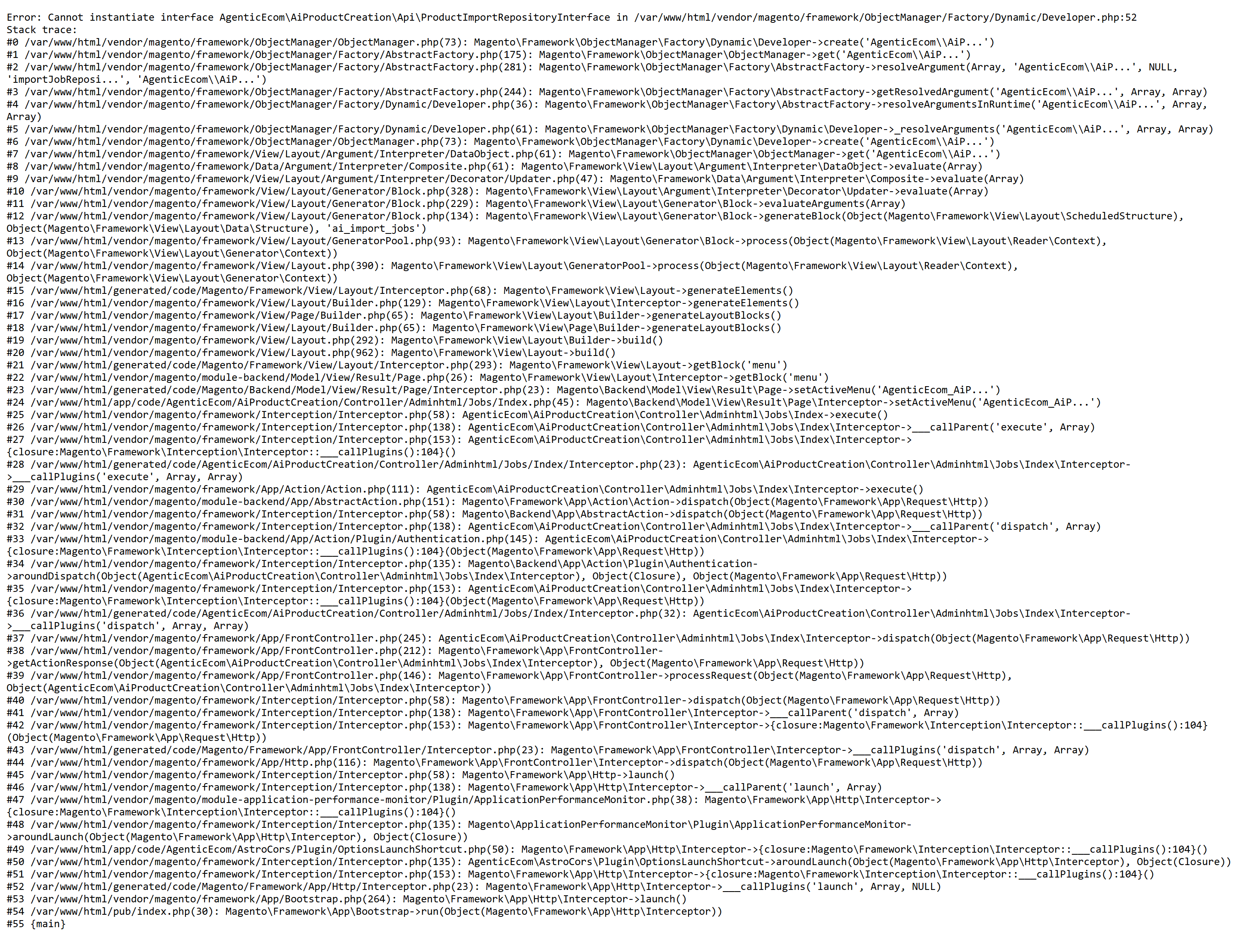
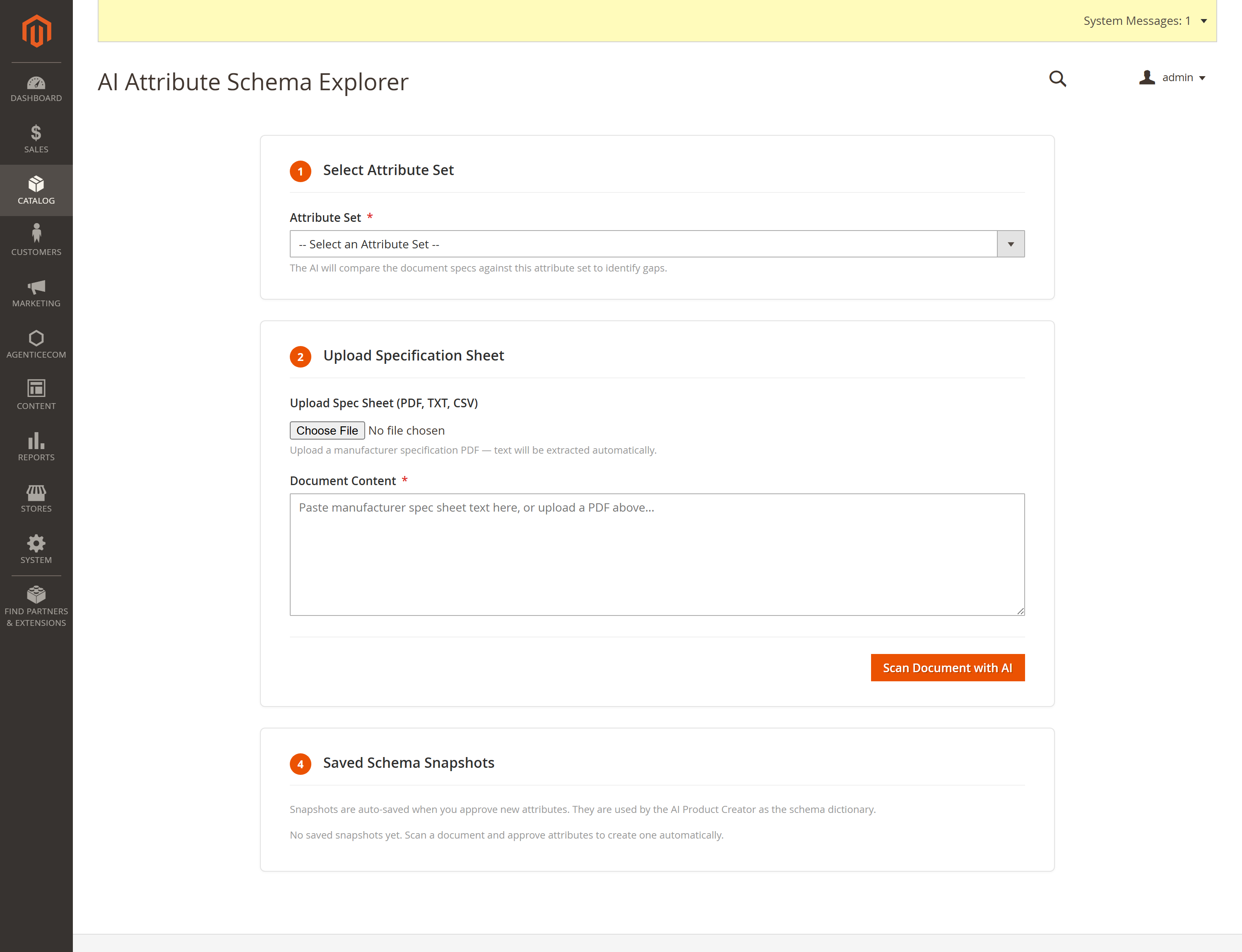
The included PHP ImageAnalyzer service can inspect an image already attached to a product. It is for developer integrations. Version 1.0.3 has no standalone admin photo-upload-to-product workflow, and the service does not publish or update a product automatically.
Your one-time purchase includes an eligible continuing-use version and 12 months of updates and support. Renewal is optional and never automatic. The number of permitted live sites is recorded in your order or licence key. See the AgenticEcom Licence Agreement and your order terms. Support: support@agenticecom.net.
1.0.3: Removed suppressed errors from temporary image-file cleanup to pass Adobe Code Sniffer. Product drafting, provider choices and the image-analysis workflow are unchanged. The exact 1.0.3 package installed, upgraded and compiled on Magento Open Source 2.4.9 with PHP 8.5.10; an image cleanup smoke test passed.
1.0.2: Added OpenAI text and image transport alongside current Gemini choices; preserved existing Google-key-only setups; retired Gemini 3 Pro Preview settings migrate to a current option. Prompts now favour source-backed facts. Quick Generate is accessible from the Admin menu, and CSV/JSON imports reject unsupported or malformed input. Image analysis now handles resized-image MIME and temporary files correctly.