

Magento
Open Source 2.4.9 GA (and later 2.4.x).
AI Content Optimiser puts a ✨ Optimise (and ✨ AI Write) button next to the fields you actually write — product name, short & long description, meta title/description, category descriptions, and CMS content. Click it and Google Gemini drafts SEO-grade copy in place, using prompts you can read and edit, with strict factual-accuracy guardrails and server-side HTML sanitisation.
Install AI Content Optimiser with Composer using your AgenticEcom licence key (find it on your My Licences page — one key unlocks every module you own):
# 1. Register the AgenticEcom repository (once per store)composer config repositories.agenticecom composer https://repo.agenticecom.netcomposer config --global --auth http-basic.repo.agenticecom.net <YOUR-LICENCE-KEY> x
# 2. Require this modulecomposer require agenticecom/module-aicontent
# 3. Apply itphp bin/magento setup:upgrade && php bin/magento setup:di:compile && php bin/magento cache:flushMagento
PHP
AI engine
Scope
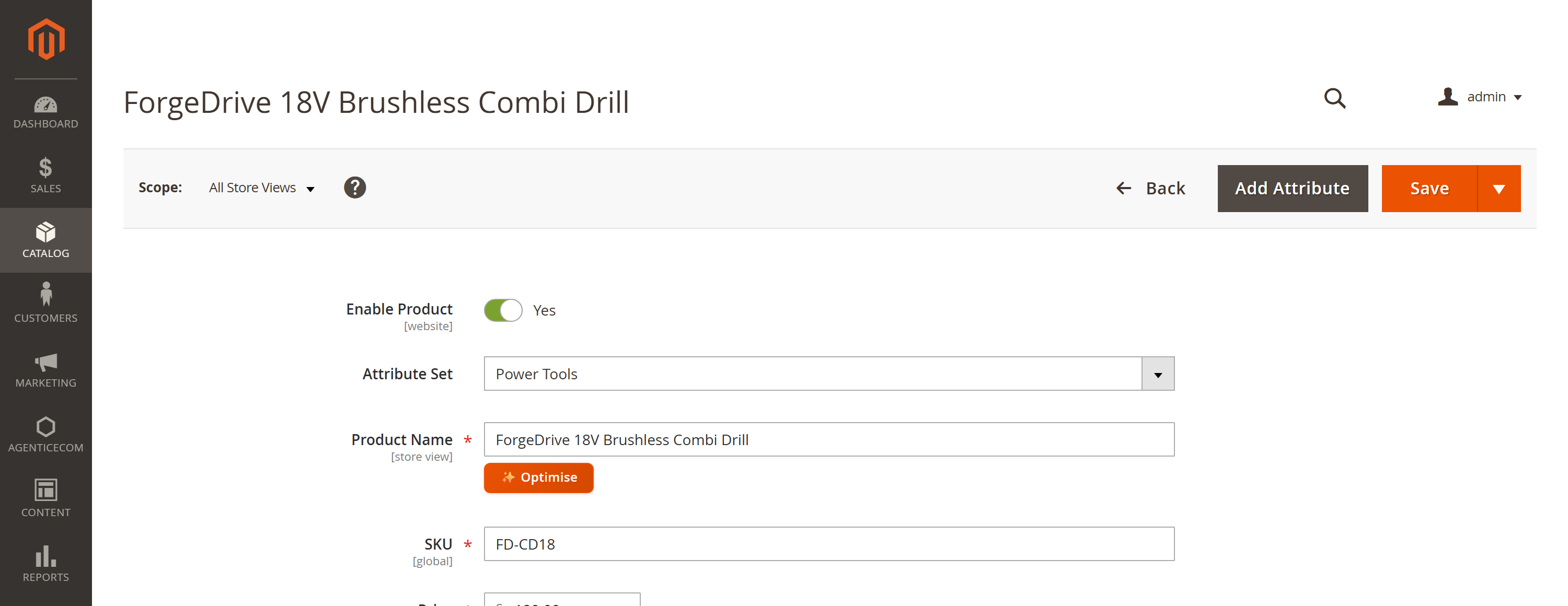
The ✨ buttons appear directly on the standard Magento edit forms — no new screen to learn:
Get a Google AI key from Google AI Studio (aistudio.google.com/apikey).
Stores → Configuration → AgenticEcom · AI → AI Content Optimiser → AI Engine: set Enable = Yes and paste your Google AI API Key (stored encrypted).
(Optional) Pick a Primary Text Model and a Fallback Text Model (used automatically if the primary returns a 503/429).
Open any product, category or CMS page and click a ✨ button.
Every button’s behaviour is a prompt you can read and edit per field — no black box.
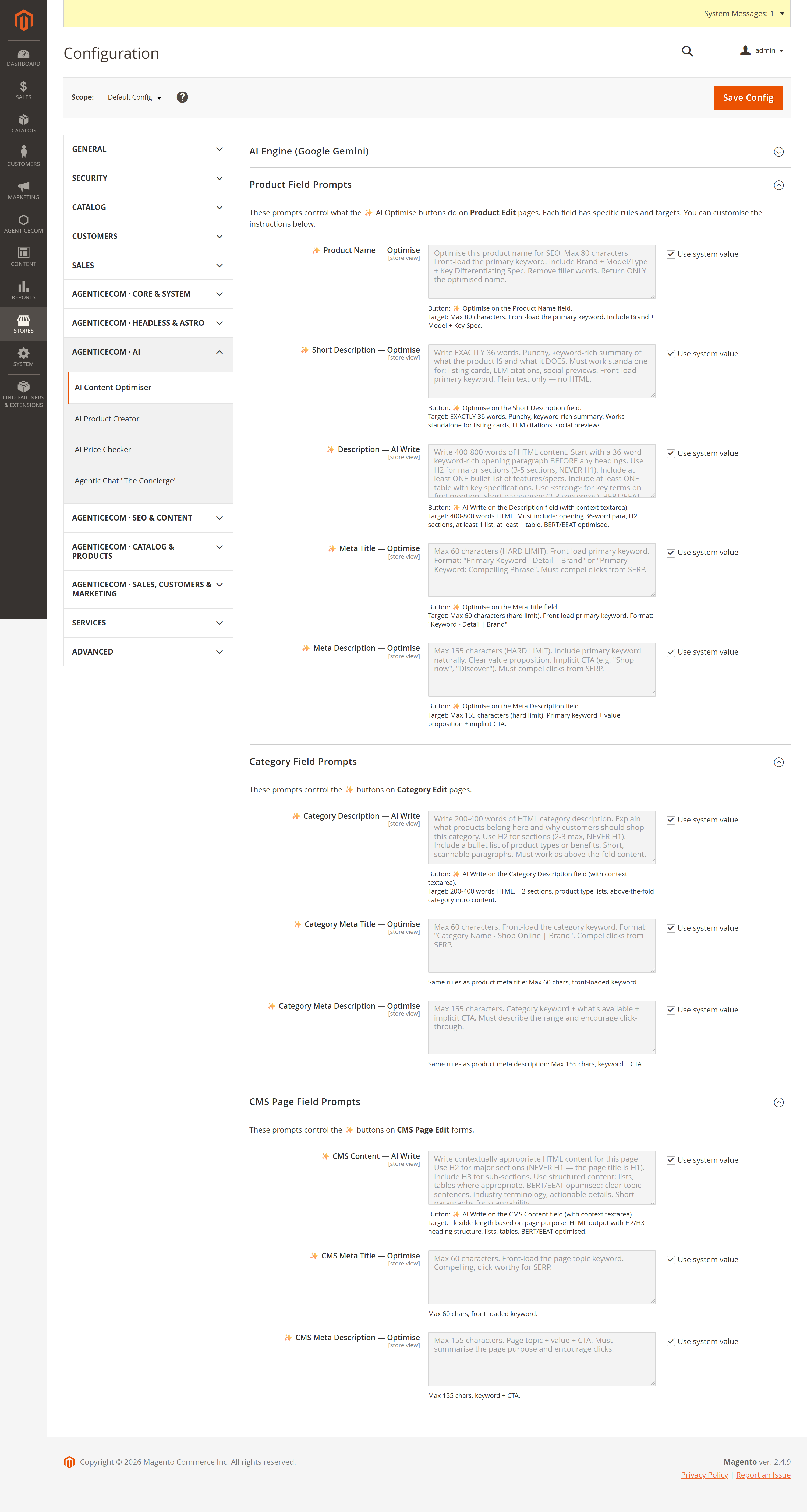
Under Product / Category / CMS Field Prompts, each field has its own instruction textarea (character targets, structure, keyword rules). Tune them to your brand voice once and every generation follows your rules. Prompts are store-scoped, so different store views can have different instructions — and different languages.
This is the part most “AI description” tools get wrong. The optimiser is built so you can trust what it writes onto your live catalogue.
No invented facts
The prompt forbids guessing or inventing specs, dimensions, materials, numbers, prices, certifications or reviews. If a detail isn’t given or genuinely known, it’s omitted — saying less beats saying something wrong.
HTML is sanitised
Rich-text output (descriptions, CMS content) is cleaned server-side before it’s
returned: an allow-list strips <script>, event handlers, javascript: URLs, SVG and
other stored-XSS vectors, while keeping headings, lists, tables, links and images.
Your key, encrypted
The API key is stored encrypted and sent to Google in a request header, never in a URL — so it can’t leak into proxy or access logs.
Permissioned
Generation sits behind its own AgenticEcom_AiContent::generate ACL resource and the
config behind ::config, so you decide which roles can use it.
It drafts into the field so you can review and tweak before saving — nothing is written to the catalogue until you click Save. Treat it as a fast first draft from a specialist copywriter.
No — that’s the point of the accuracy guardrails. The model is instructed to use only facts you provide in the context box or that are genuinely established about that exact item, and to omit anything it isn’t sure of rather than invent it.
Yes. Enablement, prompts and locale are store-scoped — edit a product in a German store view and the generator responds in German, following that store’s prompt overrides.
If the primary model returns a 503/429, the client automatically retries with your configured Fallback Text Model, so a transient outage doesn’t block your work.
Yes — all rich-text output is run through a server-side sanitiser that allow-lists safe formatting tags and strips scripts, inline event handlers, unsafe URLs and SVG before the HTML ever reaches your storefront.