

Magento
Open Source 2.4.9 GA (and later 2.4.x).
A statically-generated Astro storefront is fast because it caches — which means a content edit in Magento doesn’t show up until something invalidates that cache. Astro ISR Purge closes that gap: the moment you save a product, category, CMS block/page or a global setting, it fires a tagged purge webhook to your storefront and names exactly which prebuilt HTML to delete, so the change is live in seconds without a full rebuild.
Install Astro ISR Purge with Composer using your AgenticEcom licence key (find it on your My Licences page — one key unlocks every module you own):
# 1. Register the AgenticEcom repository (once per store)composer config repositories.agenticecom composer https://repo.agenticecom.netcomposer config --global --auth http-basic.repo.agenticecom.net <YOUR-LICENCE-KEY> x
# 2. Require this modulecomposer require agenticecom/module-astro-isr
# 3. Apply itphp bin/magento setup:upgrade && php bin/magento setup:di:compile && php bin/magento cache:flushMagento
PHP
Targets
Safety
It observes save/delete across the catalogue and content and maps each to cache tags:
| Edit | Tags |
|---|---|
| Product (or its stock / MSI source item) | mg-p-{id}, mg-p-{sku} |
| Category | mg-c-{id} (+ mg-global if in the nav tree) |
| CMS page | mg-cms-p-{identifier} (+ Redis dual-purge) |
| CMS block | mg-cms-b-{identifier} (+ Redis dual-purge) |
| Store / website / design & global config | mg-global |
| Catalog price rule applied | mg-products-all |
| URL rewrites | mg-url-rewrites |
You save content in Magento. An observer resolves the change into cache tags (and, where relevant, prebuilt-HTML keys).
It POSTs a Bearer-authenticated JSON webhook ({ tags, prebuildKeys }) to every enabled
store view’s configured storefront URL — with a 2-second hard timeout.
Your Astro storefront receives it and runs the provider-specific purge (Netlify
purgeCache, Cloudflare cache-tag API, …) and drops the named prebuilt blobs.
CMS and global changes also publish on a Redis channel, so a storefront keeping an in-memory bundle snapshot refreshes it immediately.
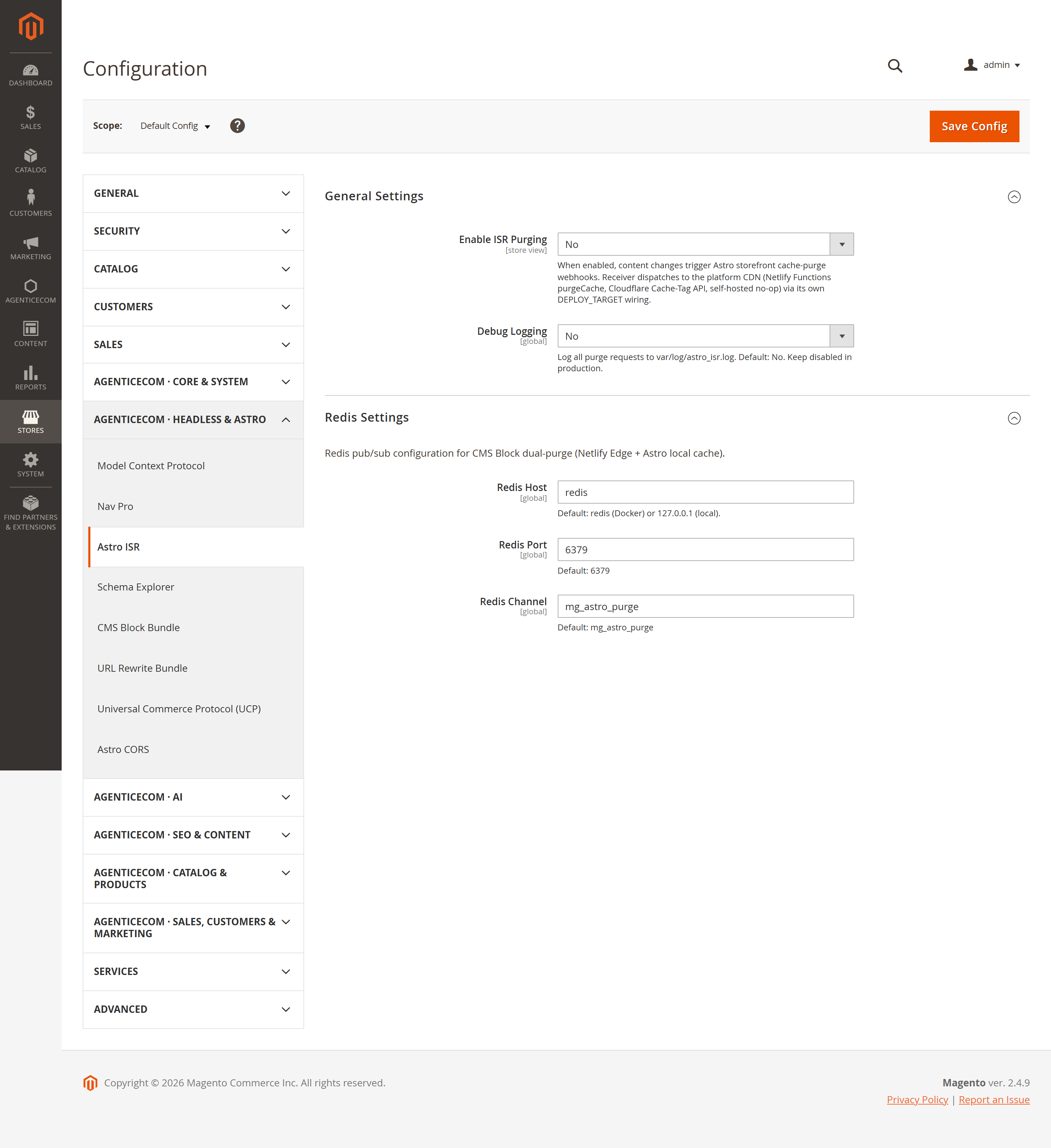
Stores → Configuration → AgenticEcom · Headless & Astro → Astro ISR
| Group | Key settings |
|---|---|
| General | Enable (per store view), Astro Webhook URL(s) (comma-separated for dual-publish), Webhook Secret (encrypted, sent as Bearer), debug logging. |
| Redis | Host, port, channel for the dual-purge of bundle snapshots. |
There’s also a REST endpoint for emergency or CI/CD purges:
POST /V1/agenticecom/purge (Admin Bearer token){ "tags": ["mg-p-123", "mg-cms-b-footer"] }It runs the same Netlify + Redis purge path as the observers, and is gated by admin authentication.
Other modules can register an ISR tag contributor to map their own entity events to cache
tags without editing the core observer — so a new content type can invalidate the edge cache by
adding a small contributor and binding its event. (AgenticEcom’s URL-rewrite module uses exactly
this to fire mg-url-rewrites.)
No — that’s the whole point. A tagged purge plus the prebuilt-HTML key tells the storefront exactly what to drop, so the edit is live in seconds without a deploy.
The webhook times out after 2 seconds and all errors are swallowed (and logged), so your admin save always completes. The content just refreshes on its normal TTL until the next successful purge.
Yes — put multiple comma-separated URLs in the Webhook URL field (per store view). Each unique endpoint receives one POST per purge, which is ideal during a Netlify→Cloudflare migration.
The secret is stored encrypted and sent as a Bearer token so your storefront can verify the
caller; the manual REST purge endpoint requires an admin token. Verified clean on PHP 8.4 and 8.5.