

Magento
Open Source 2.4.9 GA (and later 2.4.x).
Two matched tools — CMS Block Import/Export and CMS Page Import/Export — let you manage your whole CMS in a CSV. Export every block or page, edit the content, SEO and store assignment in a spreadsheet, and re-import to update existing items or create new ones. The HTML round-trips intact, everything is store-scoped, and imported content is sanitised so a CSV upload can never become a stored-XSS hole.
Install CMS Block & Page Import/Export with Composer using your AgenticEcom licence key (find it on your My Licences page — one key unlocks every module you own):
# 1. Register the AgenticEcom repository (once per store)composer config repositories.agenticecom composer https://repo.agenticecom.netcomposer config --global --auth http-basic.repo.agenticecom.net <YOUR-LICENCE-KEY> x
# 2. Require this modulecomposer require agenticecom/module-cms-import-export
# 3. Apply itphp bin/magento setup:upgrade && php bin/magento setup:di:compile && php bin/magento cache:flushMagento
PHP
Round-trip
Safe
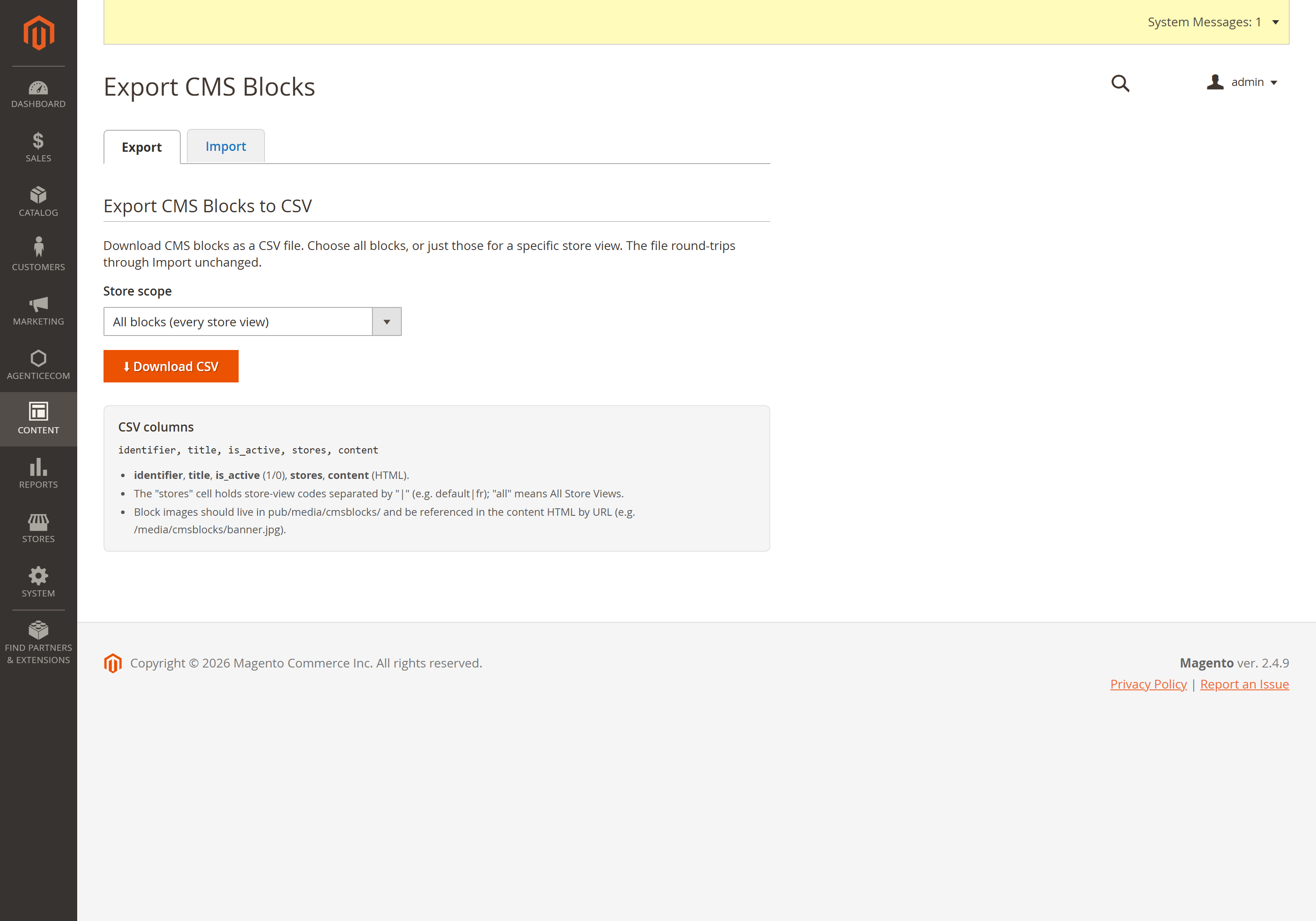
Content → Elements → Blocks Import / Export (Export / Import tabs) — also reachable from the
Import/Export buttons on the standard Content → Blocks grid. Columns:
identifier, title, is_active, stores, content.
Content → Elements → Pages Import / Export (or the buttons on the Content → Pages grid). Same shape, plus page fields (heading, SEO meta, layout, URL key).
Export — choose a store scope (all, or one store view) and download the CSV.
Edit in a spreadsheet. Keep an item’s identifier to update it; add a new row with a new identifier to create one.
Import — upload the CSV. Choose Add/Update (overwrite matching identifiers) or Add-only (skip existing), and optionally force every row into one store view.
One bad row won't stop it
Every row is attempted independently with a per-row report (created / updated / skipped + messages). A malformed or empty row is skipped, never fatal — and a missing required column is reported clearly up front.
True upsert
Items are matched by identifier within scope (correctly treating “All Store Views” as overlapping every store), so re-importing updates in place instead of failing on Magento’s identifier-uniqueness rule.
XSS-safe import
Imported HTML has <script>, inline on*= event handlers and javascript: URLs stripped —
so a role that can import but not edit CMS can’t inject runnable script. Layout markup
(<style>, Page Builder data-*, video <iframe>) is preserved.
HTML round-trips
Content is quoted on export and parsed RFC-4180 on import, so descriptions full of commas, quotes and newlines come back exactly as they went out.
Export to CSV, edit the content / SEO columns in a spreadsheet, and re-import with Add/Update.
Keeping each row’s identifier means it updates that block/page rather than creating a duplicate.
Yes — set the stores cell (codes separated by |, or all), or use the import option to force
every row into a chosen store view regardless of the column.
Yes — the importer strips script tags, inline event handlers and javascript: URLs from the
content before saving, so a CSV import can’t introduce stored XSS, while keeping legitimate
layout markup intact.
Import and export are behind the module’s ACL resources, the import is XSS-sanitised, and both tools are verified clean on PHP 8.4 and 8.5 (including the CSV escape-parameter handling that the new PHP versions require).