

Sync CMS
Copies Magento CMS blocks and pages into the storefront. Run it after you add or edit a CMS block/page in Magento (e.g. a homepage promo, an “About” page, a contact form block).
Recorded 14 October 2026 · Narrated walkthrough · English captions
Astro Admin — Sync Magento Data 2026-10-14 — Astro Admin setup

00:00:00 — Sync Magento Data
Welcome to the Agentic Ecom Astro Admin guide to sync magento data. We're using the Sync Comms storefront to show the current controls. We'll review the workflow with previews, without saving changes to this live store.

00:00:14 — Refresh the Magento source first
Save your content in Magento first, and refresh the relevant Magento bundle when that integration uses snapshots. Astro Admin copies the available data into the storefront. It cannot pull an edit that was never saved, or make an old Magento snapshot current by itself.

00:00:32 — Sync CMS blocks and pages
Sync C M S pulls the content blocks and pages used by the storefront. After you run it on your store, review the reported blocks, pages and image URLs. If content is missing, check the Magento store assignment and active status, then the source snapshot. Our demonstration shows the current results without starting a sync.

00:00:54 — Sync products and categories
Sync Products copies product shells and category information. Review the total count and pagination rather than looking only at the first listed page. Verify product names and images, and separately check the live price, stock and add-to-cart flow. The displayed counts belong to Sync Comms and are not targets for another store.

00:01:16 — Sync global settings and URLs
Sync Global Data updates store configuration, category navigation and related global metadata. Sync URL Rewrites updates the routing snapshot. Run the sync that matches your Magento changes, and both when a change affects both navigation and URLs. Test clean URLs and redirects after the data is pulled.

00:01:39 — Review the URL rewrite results
On Sync URL Rewrites, inspect the entity-type summary and the current routing data. After a Magento URL-key change, verify the new address and any expected redirect from the old address. A successful data copy does not prove every route points to the intended destination.

00:01:58 — Refresh schema when fields change
Schema Discovery refreshes the Graph Q L fields the storefront knows about. Use it after an extension or schema change when your integration needs the new fields. It does not grant access to protected data. Finish with the appropriate prebuild and check representative pages on the storefront.

00:02:17 — Your next steps
To put this into practice, save and refresh the magento source, run the relevant astro sync, prebuild and verify data and urls. Test the complete result on your own staging storefront before publishing. You can follow the written Astro Admin guides at user guides dot Agentic Ecom dot net.
Magento is the source of truth for your data; the storefront keeps its own copy so it can serve pages fast. The syncs are how you refresh that copy. Run the relevant sync whenever you change something in Magento that the storefront should show.
Sync CMS
Copies Magento CMS blocks and pages into the storefront. Run it after you add or edit a CMS block/page in Magento (e.g. a homepage promo, an “About” page, a contact form block).
Sync Products
Copies product and category data — names, prices, images, attributes, stock. Run it after catalogue changes (new products, price updates, new categories).
Sync Global Data
Copies store-wide settings — store name, currency, contact details, menus/navigation. Run it after changing store configuration or the main menu.
Sync URL Rewrites
Keeps the storefront’s SEO URLs in step with Magento’s URL rewrites so links and redirects resolve correctly. Run it after URL-key or rewrite changes.
Every sync screen works the same way: a short explanation, a big Sync button, and a live readout of how many items were processed. Here’s Sync Products:
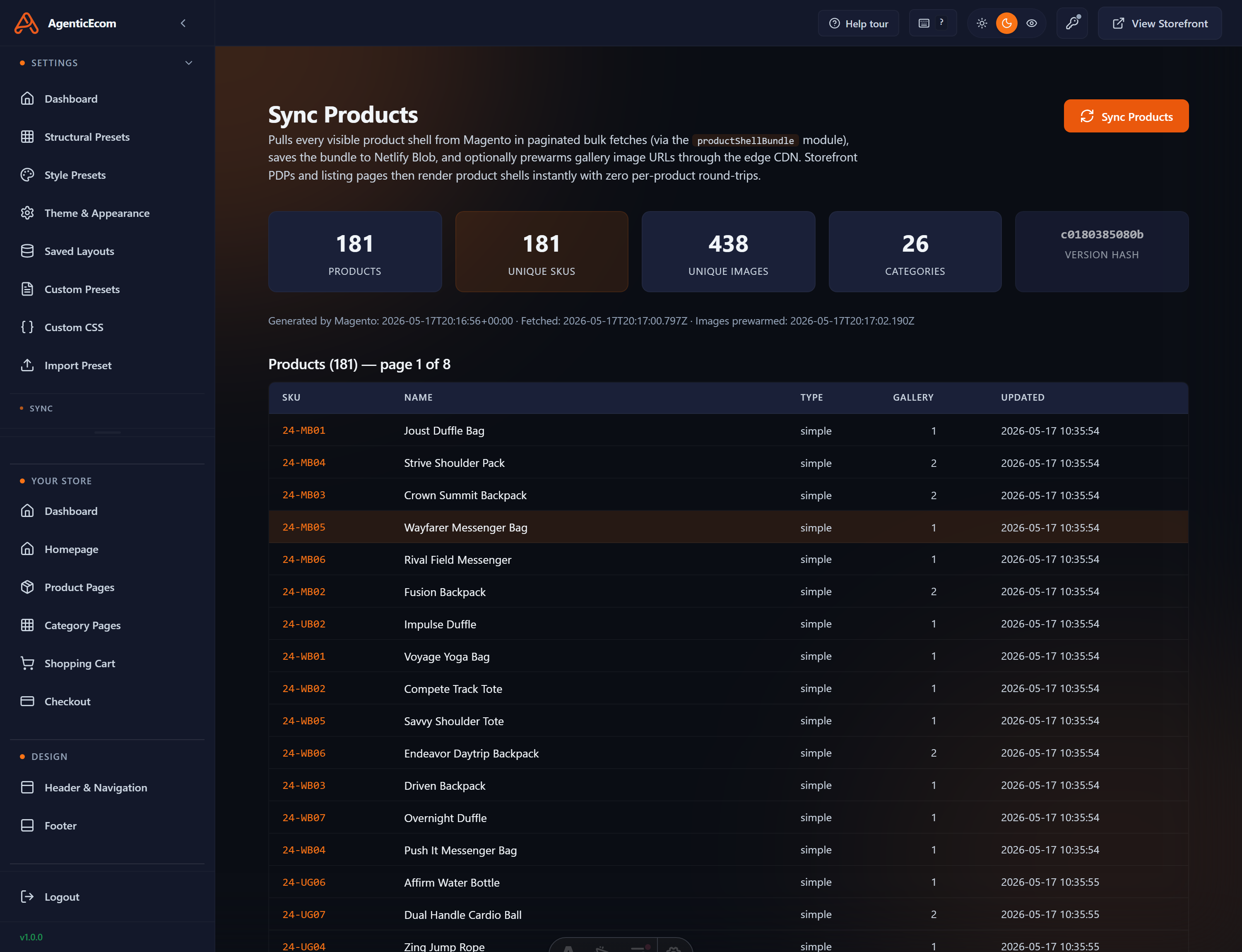
The other syncs look and behave identically — Sync CMS (blocks & pages), Sync Global Data (store name, currency, menus) and Sync URL Rewrites (SEO URLs). Run the one that matches what you changed in Magento.
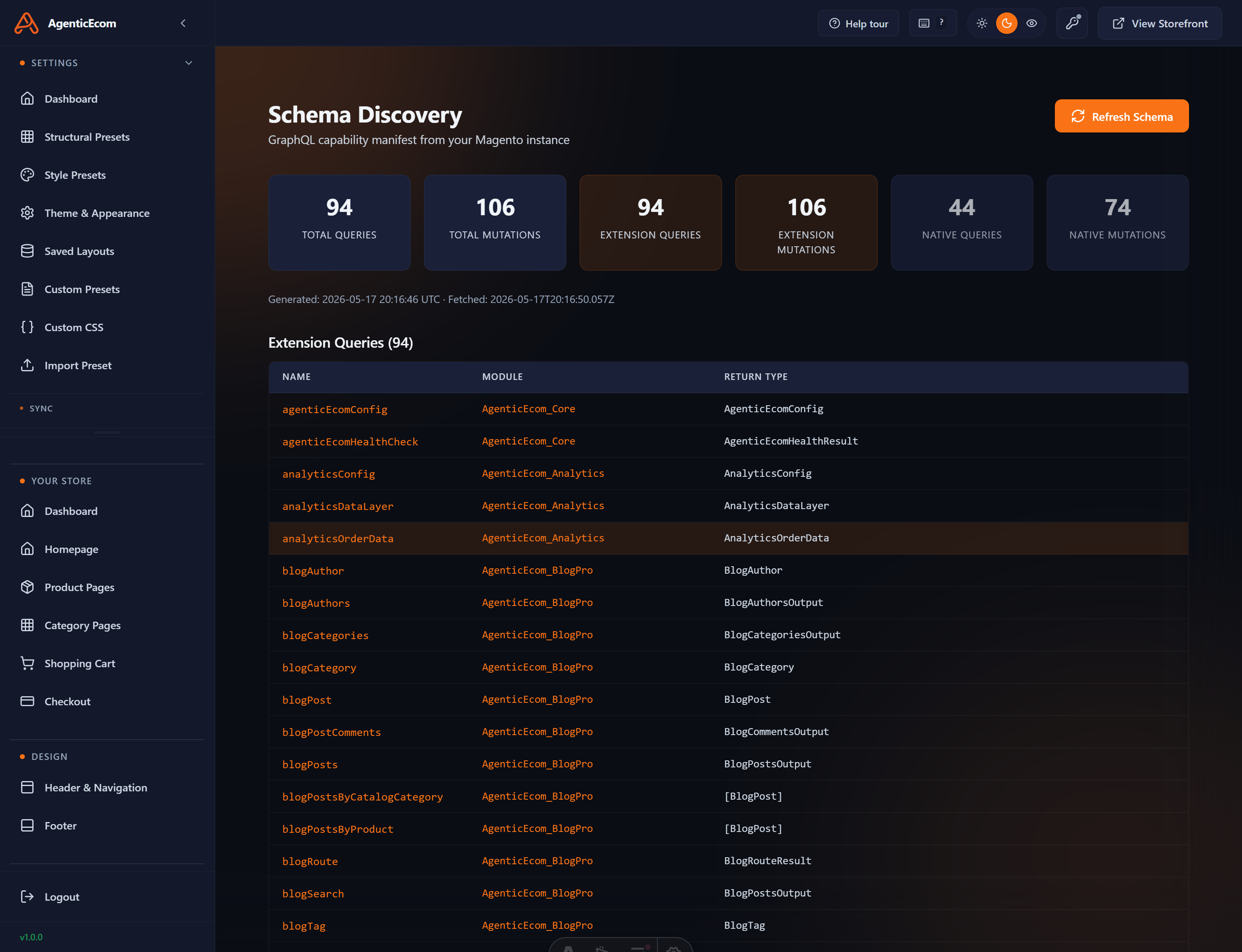
Schema Discovery refreshes the list of available Magento data fields the storefront knows about. Run it after you add custom product/category attributes (or install a module that adds data) so those fields become available to blocks in the editor.
Confirm the change is saved in Magento first (the sync copies what’s saved).
Re-run the specific sync; watch it report how many items it processed.
Prebuild — remember a sync alone never changes the live pages.
If a product still doesn’t appear, check it’s enabled and visible and assigned to the right website in Magento — the storefront only shows what Magento exposes.