

Magento
Open Source 2.4.9 GA (and later 2.4.x).
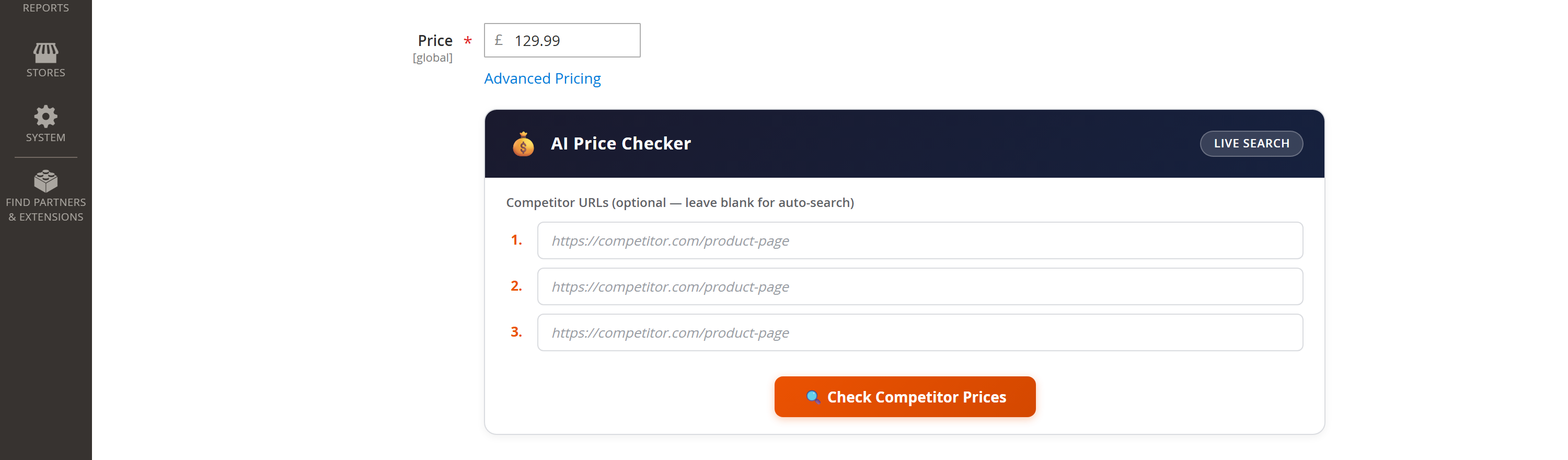
AI Price Checker adds a panel to the product edit page that answers one question fast: “How does my price compare to what competitors are charging — right now?” It uses Google Gemini with Search Grounding to find the exact same product at other retailers, reads the price each page actually shows, converts everything to a like-for-like ex-VAT figure, and ranks your price against the field.
Install AI Price Checker with Composer using your AgenticEcom licence key (find it on your My Licences page — one key unlocks every module you own):
# 1. Register the AgenticEcom repository (once per store)composer config repositories.agenticecom composer https://repo.agenticecom.netcomposer config --global --auth http-basic.repo.agenticecom.net <YOUR-LICENCE-KEY> x
# 2. Require this modulecomposer require agenticecom/module-aipricing
# 3. Apply itphp bin/magento setup:upgrade && php bin/magento setup:di:compile && php bin/magento cache:flushMagento
PHP
AI engine
Storage
On any product, open the AI Price Checker panel. Optionally paste up to 3 competitor URLs — or leave them blank to auto-search.
Click Check Competitor Prices. Gemini searches the web (and reads any URLs you gave it) for the exact product in your store’s country.
Each competitor comes back with its price, whether the page showed it inc or ex VAT, stock status, a confidence rating, and a link.
Every price is normalised to ex-VAT so the comparison is apples-to-apples, and your price is ranked against them (position, cheapest, % difference).
Cross-retailer price comparison is meaningless if one price includes VAT and another doesn’t. This is where most tools fall down — and where this one is careful.
Stores → Configuration → AgenticEcom · AI → AI Price Checker (the AI Price Checker panel itself appears on each product’s edit page, under the Price field).
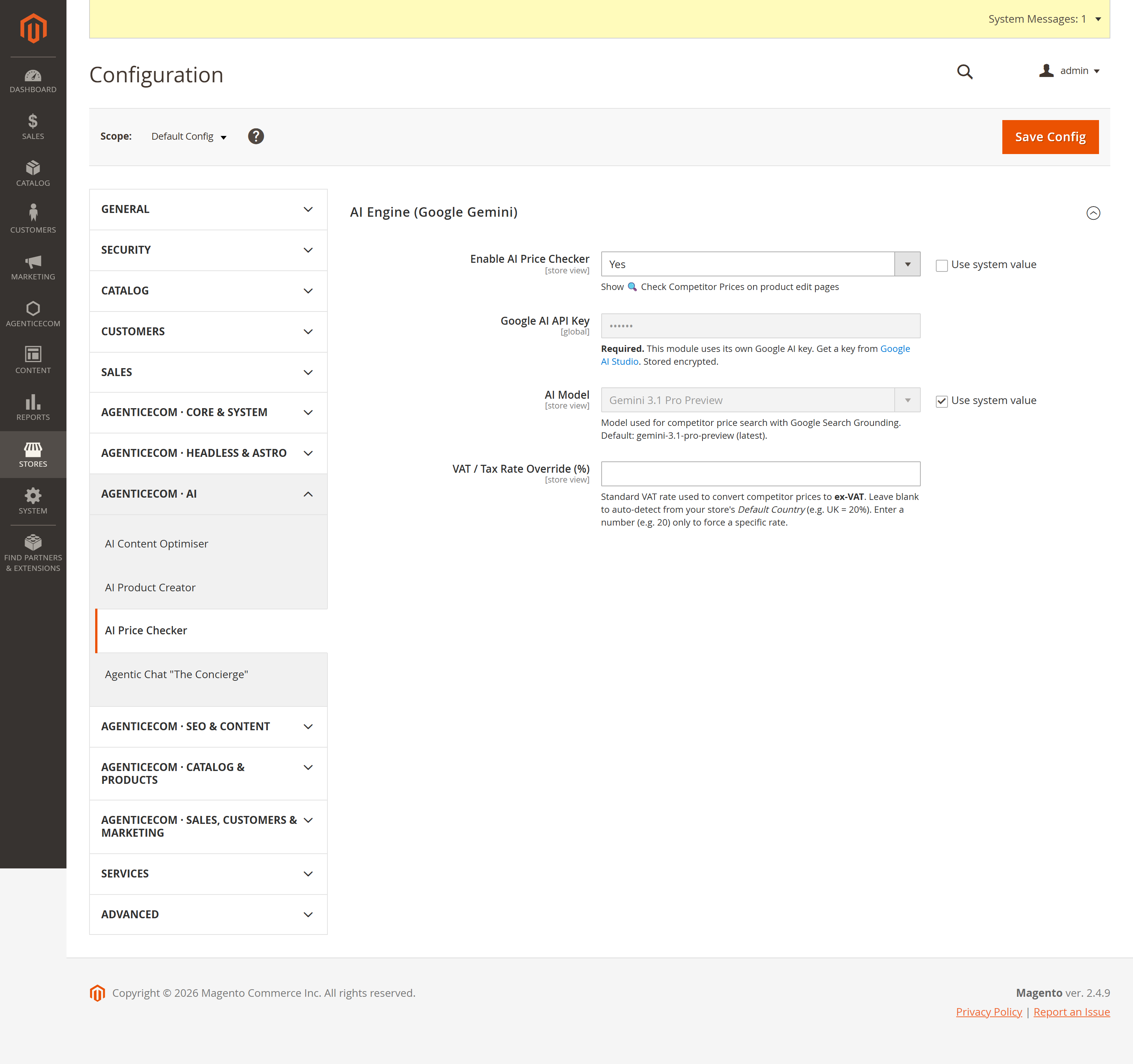
| Field | What it does |
|---|---|
| Enable AI Price Checker | Show the 🔍 panel on product edit pages (per store). |
| Google AI API Key | Your own Gemini key (stored encrypted, sent in a request header, never the URL). |
| AI Model | The Gemini model used for the grounded search. |
| VAT / Tax Rate Override (%) | Force a VAT rate for ex-VAT conversion. Blank = auto-detect from your store’s Default Country. |
No — it’s completely ephemeral. There are no database tables and no cron jobs; each check is a live lookup and the results are shown inline. Run it whenever you want a current snapshot.
The AI reports the price and the VAT label exactly as the page shows them; Magento then converts everything to ex-VAT in PHP using your store’s standard rate. Explicitly-stated figures are used as-is; only a genuinely unlabelled price is assumed inc-VAT (and flagged with low confidence).
It’s instructed to match the exact product only — by model number, SKU or exact name — not alternatives, bundles or accessories, and to use the current selling price (not RRP or out-of-stock prices).
The panel sits behind the AgenticEcom_AiPricing::check permission and config behind ::config.
Your API key is encrypted and sent in a header. Competitor URLs returned by the AI are validated
(only well-formed http/https links are surfaced), so a malformed or unsafe link can’t reach the
admin UI. Verified clean on PHP 8.4 and 8.5.